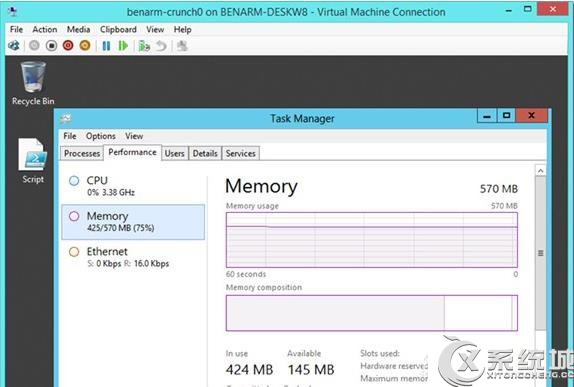
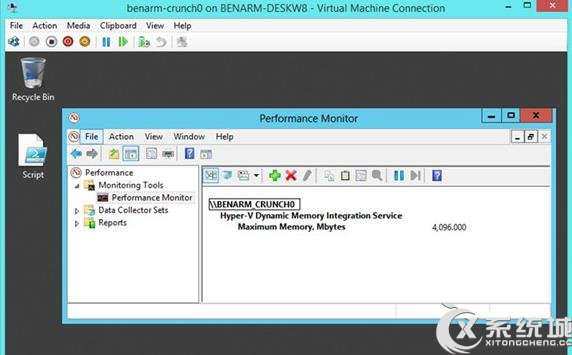
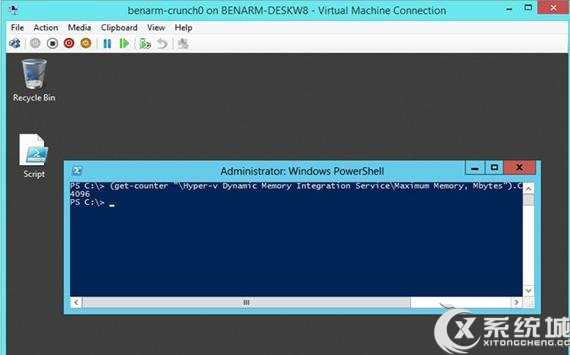
Hyper-V 虛擬機查看最大動態記憶體兩種方法:
Hyper-V Dynamic Memory Integration Service\Maximum Memory, Mbytes
(get-counter "Hyper-v Dynamic Memory Integration Service\Maximum Memory, Mbytes").CounterSamples.CookedValue
兩法皆可精確查看虛擬機動態記憶體上限設定。
Win7 透過群組原則關閉全雙工音訊模式
Win7 設定開機等待時間:系統屬性調整預設 30 秒、Win.ini 精簡、360 開機加速三法並用
Win7/Win8 隱藏硬碟分區保護隱私資料:魔方電腦大師一鍵設定
Win7 連接 XP 共享印表機「錯誤 0x000006d9」完整解決方案
Win7 回收站無法開啟?透過資源管理器找回隱藏的 $Recycle.Bin
Win7 超級工作列無法鎖定圖示?登機檔修復 lnkfile/piffile IsShortcut 值即可解決
Win7 32 位元強制關機後無法開機三大解決方案
Windows 系統還原點失效常見 7 大原因與解決方案