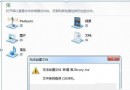
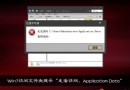
將程式拖曳到工作列或右鍵「釘選到工作列」無反應,圖示無法鎖定。
登機檔 HKEY_CLASSES_ROOT\lnkfile 與 piffile 下的 IsShortcut 字串值被誤刪或修改,導致 Shell 無法辨識捷徑類型,進而影響工作列釘選功能。
fix_taskbar.reg:Windows Registry Editor Version 5.00
[HKEY_CLASSES_ROOT\lnkfile]
@="Shortcut"
"IsShortcut"=""
[HKEY_CLASSES_ROOT\piffile]
@="Shortcut to MS-DOS Program"
"IsShortcut"=""
IsShortcut 為空值即表示「此類型為捷徑」,若該值不存在或被設為其他資料,工作列將無法識別捷徑檔案。部分「優化」軟體為移除捷徑小箭頭而誤刪此值,導致副作用。