滑鼠左鍵無法拖曳檔案但雙擊正常?三種快速解法依序嘗試。
鍵盤左上角 ESC 連按兩次,常可解決卡住狀態。
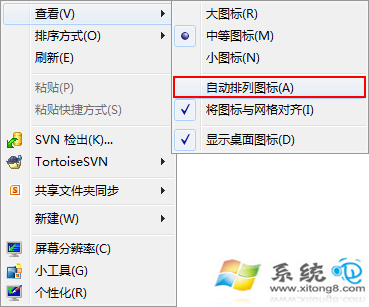
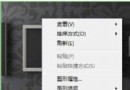
桌面右鍵 → 「檢視」 → 取消勾選「自動排列圖示」。
瀏覽網頁時誤觸熱鍵也可能導致此問題,下次遇到依序嘗試上述方法。
Win7 查看 IP 位址三大法:ipconfig 指令、網路共用中心介面、PowerShell Get-NetIPAddress
Windows 7 無線網路共享大進化:Ad Hoc 模式輕鬆上手
Win7 關閉視窗智慧排列 (Aero Snap):登錄檔 WindowArrangementActive 改 0
讓 Ghost 退休:Windows 7 系統映像備份與還原(重複文章,獨立處理)
Win7 網路頻繁斷線?關閉網卡省電功能一勞永逸
重裝 Win7 32位元系統:系統盤 (C槽) 到底要分多大才夠用?
Win7 安裝 PDF 彩色虛擬列印機:內建 Generic 驅動免安裝第三方軟體
Windows 7 Windows Update 手動更新圖文教學:從檢查到安裝重開機全流程