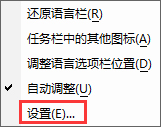
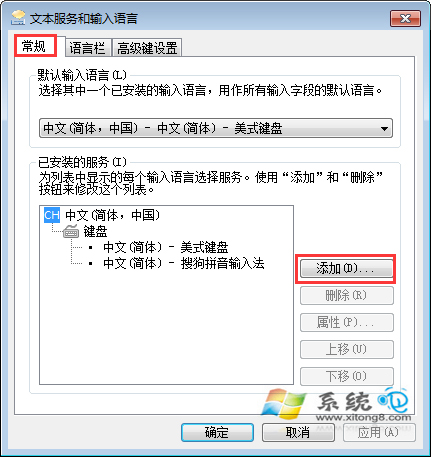
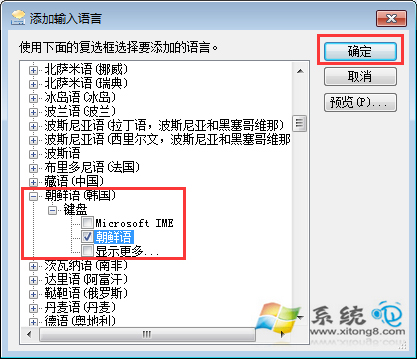
想用韓文輸入法與韓劇迷、韓國朋友聊天?Win7 內建支援,幾步即可新增朝鮮語(韓國)鍵盤。
新增後可用 Ctrl+Shift 或 Win+Space 切換至韓文輸入法。
XP 環境下用虛擬光碟機硬碟安裝 Win7 圖文教學
Win 7 開機動畫消失變黑畫面綠條?解析原因與修復 locale 語言設定教學
Windows 7 系統「拷貝式安裝」:ImageX 一鍵還原 15 分鐘完成部署
Windows 8 將原生支援 USB 3.0:Intel 與微軟合作推動普及
驗證 Win7 USB 開機隨身碟製作是否成功:檔案檢查與磁碟管理雙重確認
Win 7 定時關機完整指令教學:倒數關機、指定時刻、取消關機、批次檔自動化
Win 7 禁止 QQ 掃描本地磁碟:權限鎖定 SafeBase 資料夾實戰教學
解決 Win7 藍屏 0x0000001E:從安全模式排查到硬體檢測完整流程