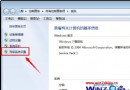
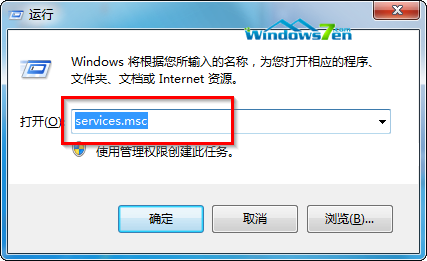
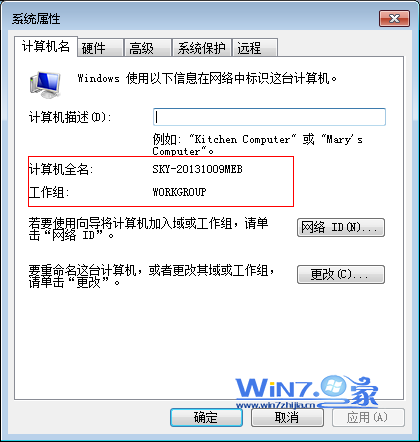
IE8 安裝測試 CA 憑證時根憑證不見於清單,需透過 MMC「憑證」嵌入式管理單元針對「本機電腦帳戶」→「受信任的根憑證發佈機構」手動匯入。需系統管理員權限操作,步驟詳盡含圖示說明。
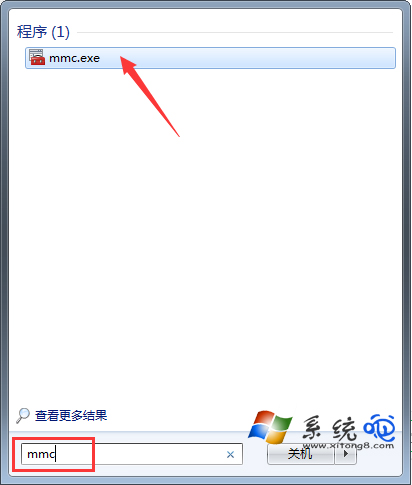
mmc 開啟主控台。.cer 檔案完成匯入。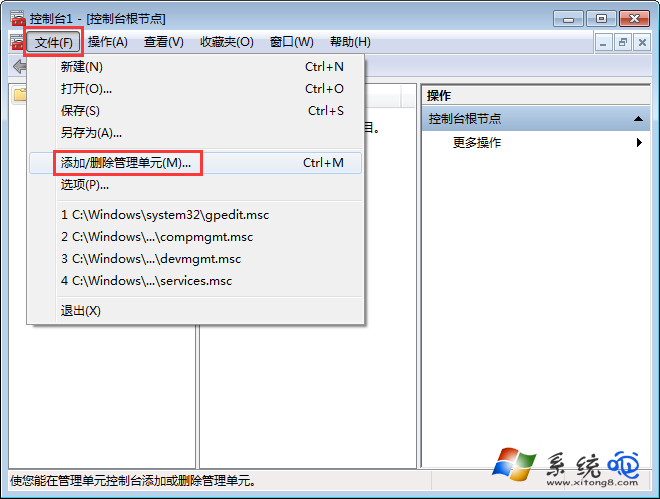
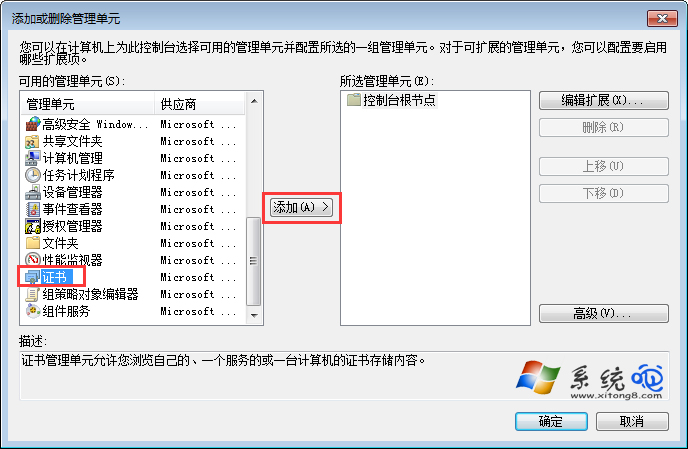
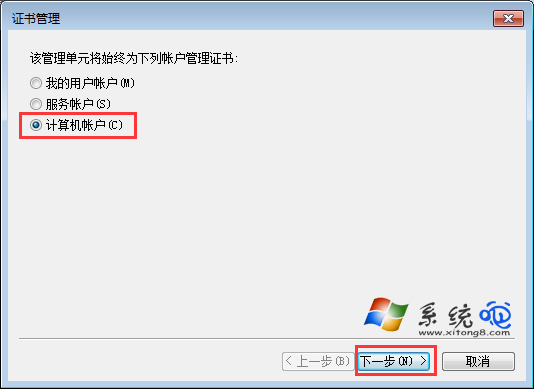
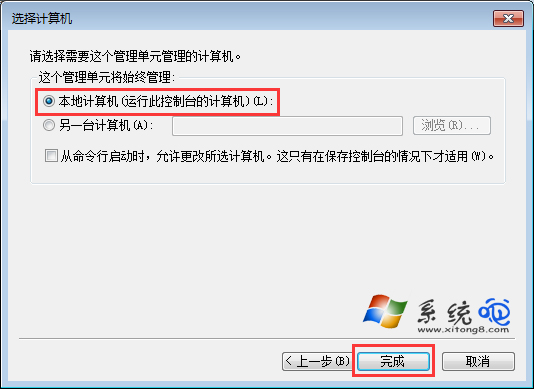
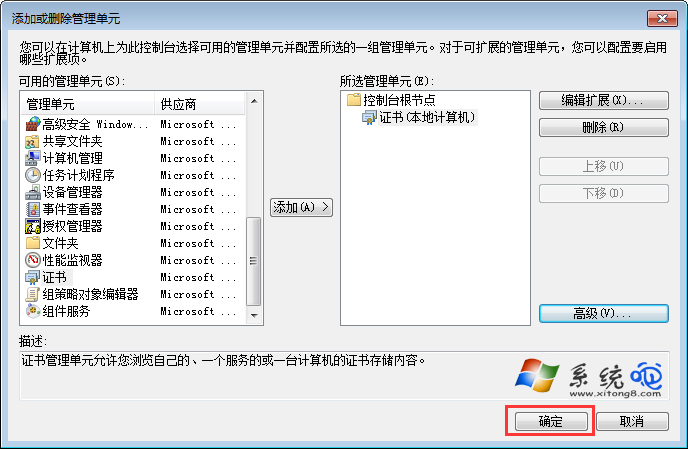
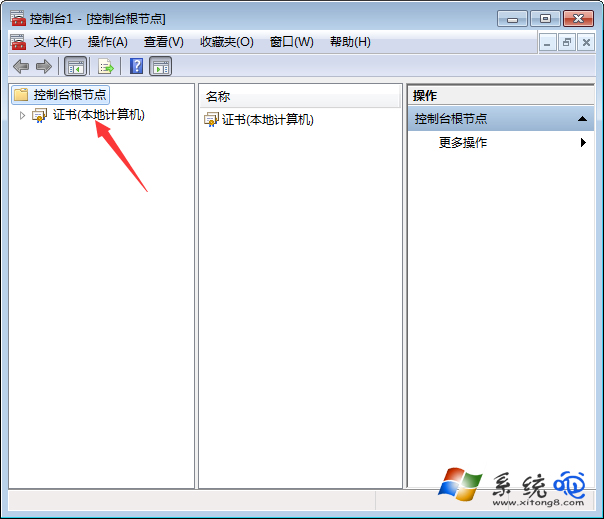
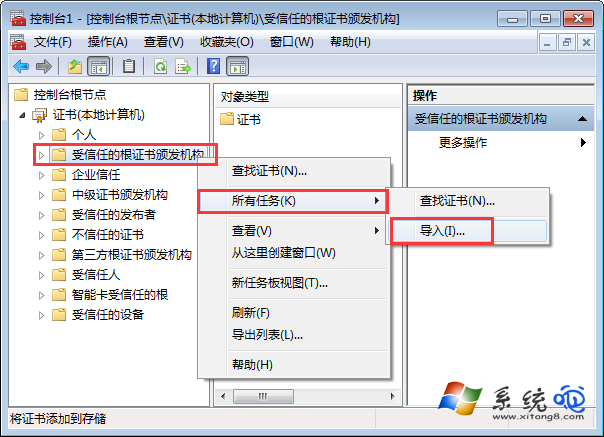
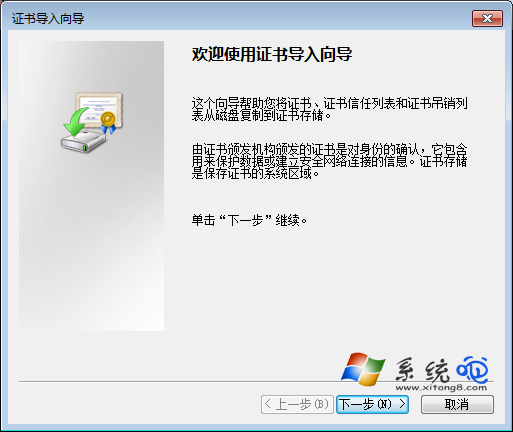
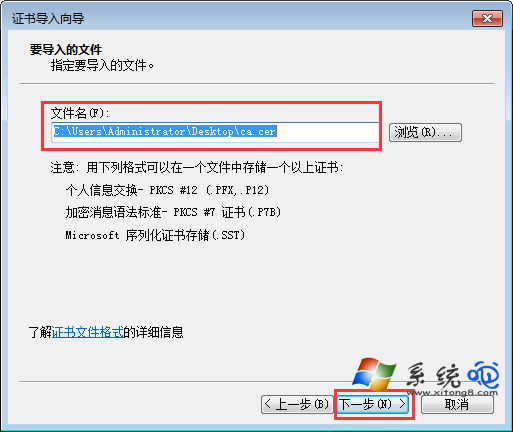
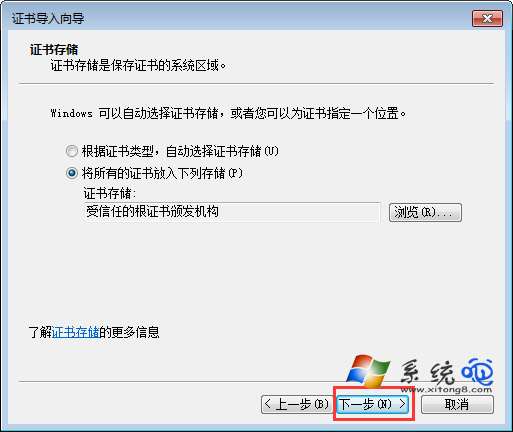
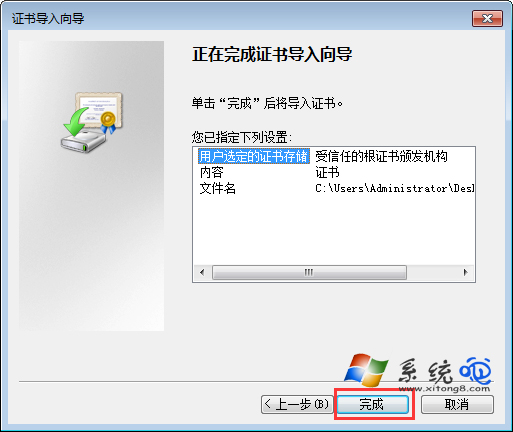
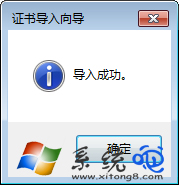
匯入完成後,IE8 即可正常信任該根憑證簽發的憑證鏈。
Win7 開機提示 uxtheme.dll 丟失/錯誤 0xc000007b 完整修復教程:SFC 掃描 + 文件替換雙保險
Win7 三種電源計劃降溫筆電:平衡、省電、高效能模式差異解析
Win7 32位純淨版無法開啟支付寶頁面?三大常見原因與解決方案
Win7 關機慢如蝸牛?註冊表 WaitToKillServiceTimeout 從 12 秒降到 5 秒大幅加速
Win7 開機跳出「資源管理器已停止運作」?罪魁禍首是 WinRAR 整合設定
Windows 7 強悍計算機成功移植至 Vista:下載連結與漢化版分享