Windows XP Windows 7 Windows 2003 Windows Vista Windows 綜合教學 Linux 系統教學
Windows 10 Windows 8 Windows 2008 Windows NT Windows Server 電腦軟體教學

Win7 找不到 clipbrd.exe 無法開啟剪貼簿?下載補回 System32 目錄恢復功能

編輯:Windows 7 系統介紹

Windows 7 執行 clipbrd.exe 開啟剪貼簿檢視器時提示「找不到檔案」,原因是該工具未預裝於 Win7(屬 XP 時代遺留工具)。解決方法:從網路下載 clipbrd.exe、複製至 C:\Windows\System32,即可正常執行並恢復複製貼上功能。

修復步驟

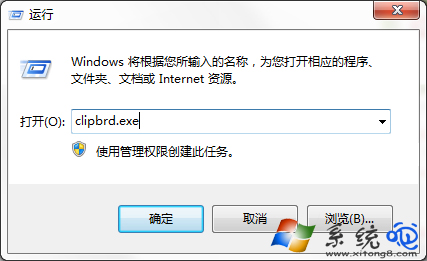
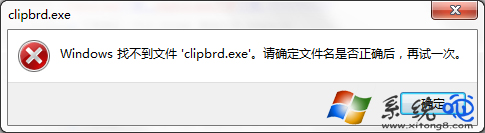
  1. 按 Win+R → clipbrd.exe → Enter,確認提示「找不到檔案」。
  2. 網路搜尋下載 clipbrd.exe(建議從可信任技術論壇或系統檔案庫獲取,注意 32/64 位元版本對應)。
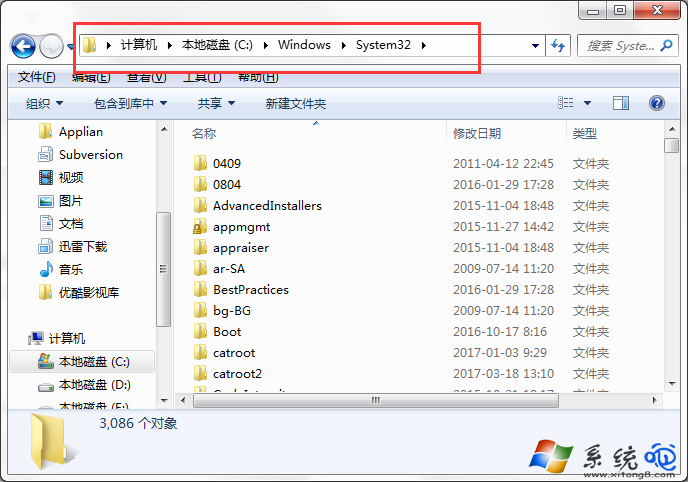
  3. 將下載的 clipbrd.exe 複製至 C:\Windows\System32(需管理員權限)。
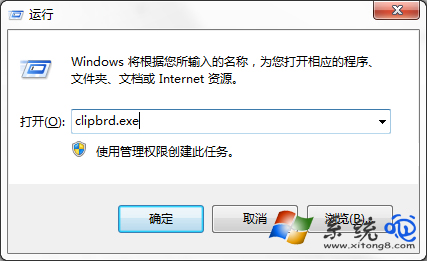
  4. 再次執行 Win+R → clipbrd.exe,剪貼簿檢視器應正常開啟。

執行 clipbrd.exe 找不到檔案

錯誤提示視窗

複製至 System32 目錄

成功開啟剪貼簿檢視器

現代替代方案

  • Windows 10/11 內建 Win+V 雲端剪貼簿歷程記錄,功能更強大。
  • 第三方工具:Ditto、ClipboardFusion、CopyQ 支援跨裝置同步、文字處理、標籤分類。
  • PowerShell 指令:Get-Clipboard、Set-Clipboard 可腳本化操作剪貼簿。

注意

從非官方來源下載系統檔案存在安全風險,建議優先使用 sfc /scannow 嘗試修復,或從同版本正常電腦複製檔案。若僅需查看剪貼簿內容,PowerShell 或現代工具更安全便利。

Copyright © Windows教程網 All Rights Reserved