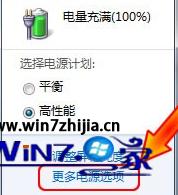
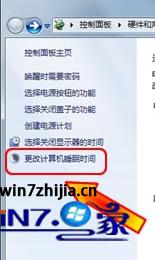
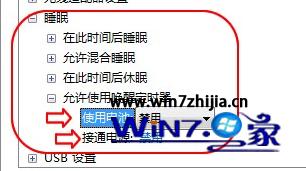
原因多為排程工作(如 Windows Update、備份軟體)設定喚醒定時器,停用後睡眠不再被意外喚醒,省電且安靜。
Win7 建立密碼重設磁碟:忘記登入密碼也能輕鬆解鎖
鎖定 Win7 系統登錄防止被竄改:群組原則一鍵設定
Win7 IE9 降級回 IE8 官方標準程序:控制台「檢視已安裝的更新」解除安裝即可還原
Win7 開機黑屏僅有滑鼠游標:三大快速恢復桌面方案
Win7 開啟共用提示錯誤 1061?登錄表修改 SharedAccess 服務解決法
Shift 鍵六大隱藏神技:剪貼、全選存/關、大量選取、右鍵選單、F10 功能鍵一鍵呼叫
Win7 筆電變身 WiFi 熱點:內建虛擬網卡 + 連網共享完整教學
內建安全功能防護力低 Windows 7 引駭客關注