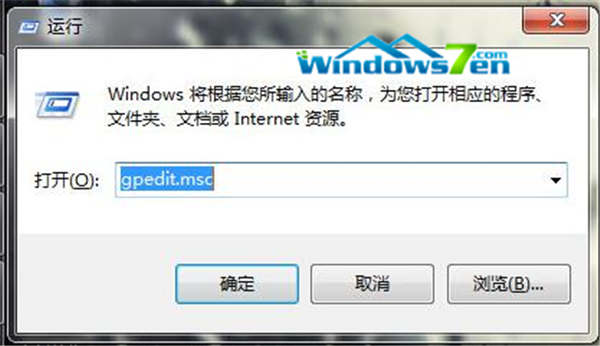
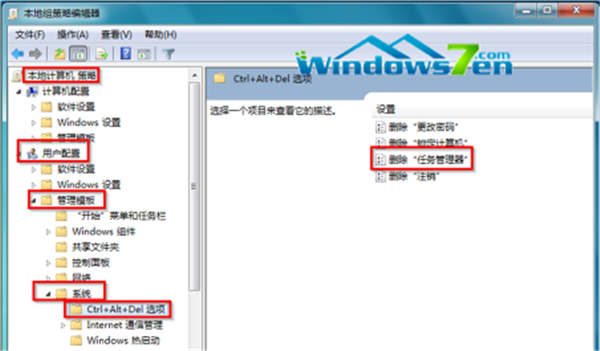
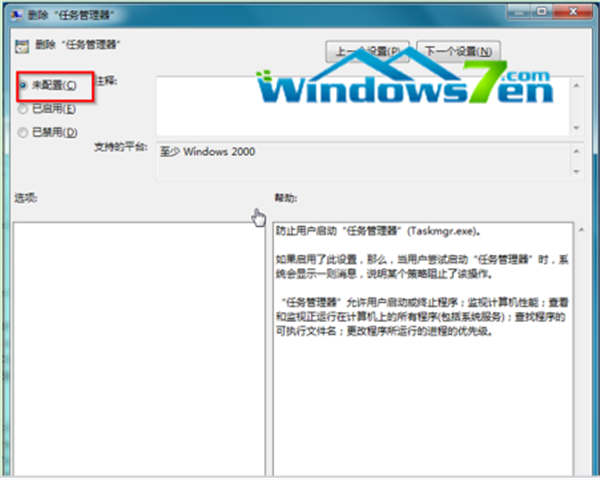
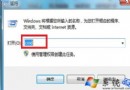
gpedit.msc
常見於病毒或誤操作導致工作管理器被鎖定,此法秒解。
Win7 ADSL 撥號設定完整圖文教學:建立連線、加速撥號、開機自動撥號、VBS 隱藏視窗
Win7 開始選單強大搜尋功能全攻略:關鍵字快速啟動工具
Win7 安裝 IIS 7.5 後執行 ASP 出現 500 錯誤完整排除指南
九大秘技優化 Windows 系統記憶體:虛擬記憶體調校、快取設定、監控釋放、硬體協同
Win7 手動清理系統垃圾檔案與登錄殘留完整指南
Win7 重開機卡在「正在設定 Windows Update 已完成 XX%」?關閉自動更新避免卡住
Win7/Win8 清理滑鼠右鍵選單:刪除 SendTo 資料夾多餘捷徑
Win7 開機「Intel RST 服務未在執行」完整修復:BIOS 設定、服務啟動、相依服務檢查