在總管或「電腦」中雙擊資料夾,不會開啟反而啟動搜尋功能。
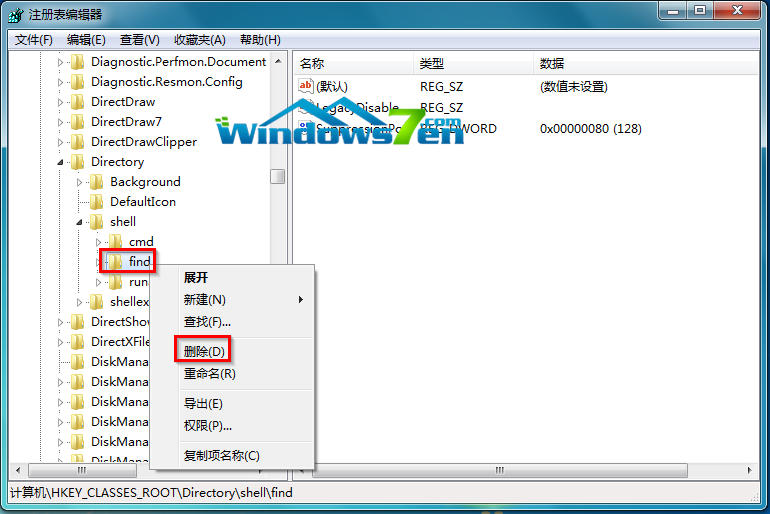
登錄表 HKEY_CLASSES_ROOT\Directory\shell 下的 find 子鍵竊取了預設動作。
HKEY_CLASSES_ROOT\Directory\shell
find
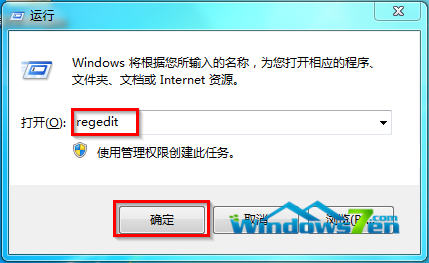
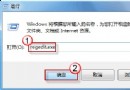
regedit
explorer.exe
Win7 常見故障大全:附件消失/登入介面 DIY/Aero 失效/遊戲不全螢幕/聲音忽大忽小/縮圖異常 六大問題解決方案
Windows 7 指定處理器親和性:讓特定程式只在指定 CPU 核心執行
Win7 開機持續長鳴?三大原因與解決方案
Win7 局域網大檔案複製中斷?斷點續傳工具解決
Windows 7 自動登入導致工作列設定重置:微軟承認 Bug 提供熱修補程式
Microsoft Virtual WiFi Miniport Adapter 添加、刪除與虛擬熱點完整指南
Win7 C 槽 System Volume Information 資料夾刪除教學:病毒藏匿熱點清理
Windows 7 開機加速完全攻略:從啟動項、服務、登錄到字體的深度優化