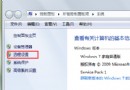
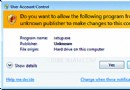
啟用帳號自動登入後,重開機工作列自訂設定(釘選、圖示大小、位置等)會重置為預設值,Server 2008 R2 同樣受影響。
原因
Windows Explorer 與 taskhost.exe 初始化競態條件導致設定寫入失敗。
Windows Explorer
taskhost.exe
解決方案
自動登入設定方式
netplwiz
control userpasswords2
若不願冒熱修補風險,建議暫停使用自動登入,改用密碼登入避免工作列重置困擾。
Win7 工作列個性化完全指南:小圖示、位置、按鈕合併、通知區域、Aero Peek、工具列
Windows 7:低下你的頭——微軟營銷變革與消費者主權時代來臨
Win7 搜尋檔案太慢?優化索引選項與開始選單設定大幅提速
Win7 32 位元嘗試突破 4GB 記憶體限制失敗實測:msconfig 設定導致系統嚴重變慢,建議改裝 64 位元系統
Win7 產生系統健康報告:使用 perfmon /report 指令
Win7 360 瀏覽器收藏夾打不開?兩大修復教學
Win7 如何關閉 kxescore.exe 釋放記憶體?禁用金山毒霸核心服務
Win7 手動設定 DNS 與 IP 位址:網路介面卡屬性四步完成