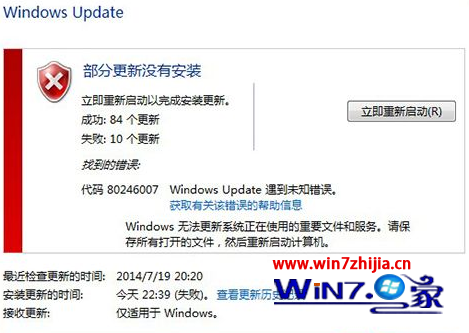
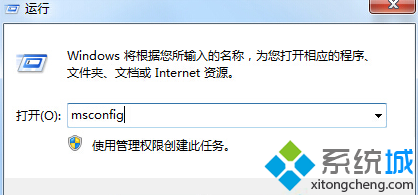
錯誤碼 80246007 通常因「背景智慧型傳輸服務」 (BITS) 未啟動或啟動類型錯誤導致更新無法下載。
80246007
完成後重新執行 Windows Update,錯誤應即解決。若仍失敗,嘗試重啟 wuauserv (Windows Update 服務) 並清除 C:\Windows\SoftwareDistribution 快取資料夾。
wuauserv
C:\Windows\SoftwareDistribution
聯想 IdeaPad Y470 卸載 RIC 智能伴侶後合蓋休眠功能消失?裝置管理員掃描硬體變更即可恢復
Windows 7:簡單、直觀、酷到底 全方位體驗評測
Win7 筆記本螢幕亮度調整教學:Fn 組合鍵與對比度設定雙重方法
Win7恢復程序默認打開方式:INF腳本刪除用戶級文件關聯註冊表項
Win7 IE11 降級 IE8 教學:控制台檢視已安裝更新移除 IE11 自動回滾
Win7 純淨版安裝完整圖文教學:17 步驟從開機到桌面
Win7 區域網路共享設定完整指南:啟用 Guest、權限指派、資料夾共享三步驟
十月 Win 7 份額火速上升 IE 瀏覽器份額跌破 65%