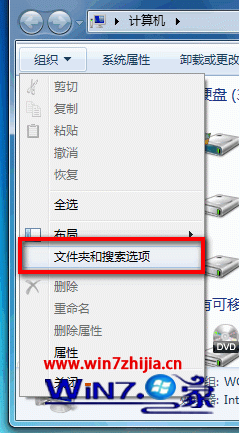
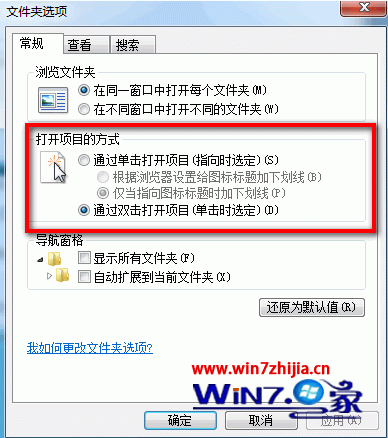
單擊模式下,游標指向即選取,單擊即開啟;雙擊模式為傳統操作。依個人習慣選擇。
Win7 ReadyBoost + USB 隨身碟加速系統:啟用條件、空間建議、SSD/大記憶體無效說明
Win7 修改無線網路密碼?其實是修改「已儲存設定檔」密碼
Windows 7 修改 explorer.exe 權限:一鍵取得系統檔案控制權
Win7 清除「執行」視窗歷史記錄:任務列屬性與網際網路選項雙重清除
Windows 7 藍畫面緩解實測:大幅增加虛擬記憶體(分頁檔)穩定系統
Win7 ADSL 撥號上網完整設定:建立 PPPoE 連線 + 設定開機自動撥號 + VBS 隱藏撥號視窗
Win7 新增程式庫報錯 16389 (0x4011)?組策略「防止使用者將檔案新增至使用者檔案夾根目錄」誤啟用
為 Win7 資源管理器導覽窗格加上醒目標記 快速識別當前資料夾位置