為防止資料外洩或病毒傳播,需在 Win7 純淨版中徹底禁用 USB 大容量儲存裝置(隨身碟、外接硬碟等)。
regedit.exe 開啟登錄編輯器。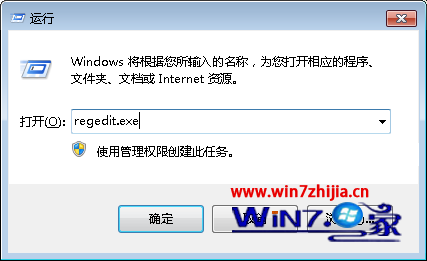
HKEY_LOCAL_MACHINE\SYSTEM\CurrentControlSet\Services\USBSTOR
Start,將數值從 3 (手動) 改為 4 (停用),確定。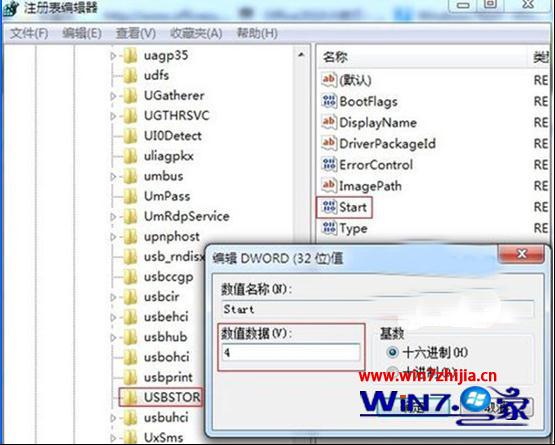
同路徑將 Start 改回 3 並重開機。
此法僅影響 USB 大容量儲存類裝置,不影響鍵盤、滑鼠、印表機等其他 USB 裝置。企業環境建議搭配群組原則部署。
Win7 開機報錯 svchost.exe?msconfig 禁用啟動項與 Windows Driver Foundation 服務修復
調查:Win 7 升級安裝問題居首(31%),應用程式遷移缺失次之(26%)
修復 Windows 7 開機動畫消失(被 Vista 動畫取代)問題
Win7 左上角白亮點 Bug:家庭基本版換主題/旗艦版關透明效果觸發,暫無補丁需避開條件
Windows 7 縮短程式回應逾時時間:修改 WaitToKillAppTimeout 避免假死等待
Windows 7 五大常見故障與解法:DVD 無聲、MovieMaker 匯入失敗、XP 模式失效、媒體中心自啟、崩潰日誌遺失