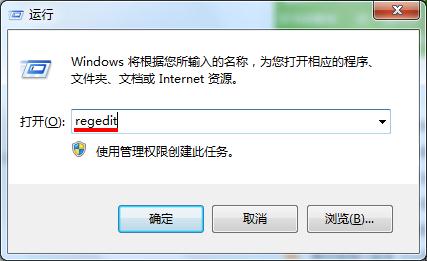
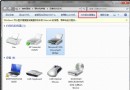
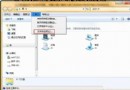
regedit
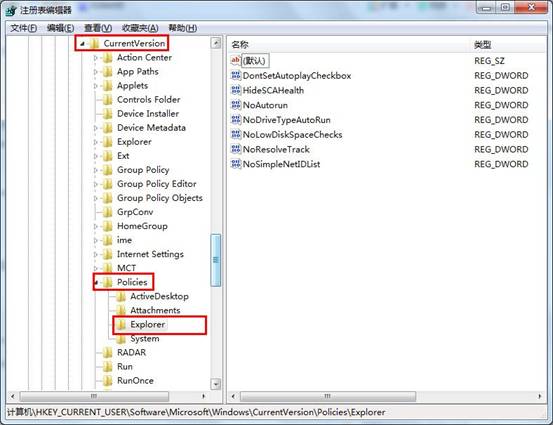
HKEY_CURRENT_USER\Software\Microsoft\Windows\CurrentVersion\Policies\Explorer
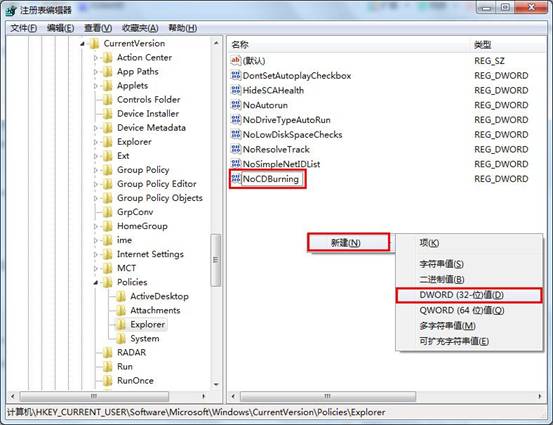
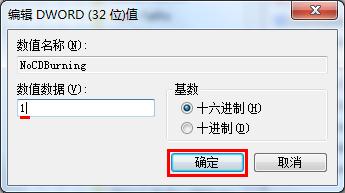
NoCDBurning
1
Win7 網路突然連不上?重置網路介面卡秒解決
Win7 產生系統健康報告:使用 perfmon /report 指令
Absolute Uninstaller:支援批次解除安裝、修復無效項目、重新關聯綠色版執行檔的系統輔助工具
Windows 7 設定與變更預設瀏覽器:控制台「設定程式存取與預設值」圖文教學
Windows 8 BitLocker 磁碟加密完整圖文教學:保護重要資料防竊取
Win7 64位旗艦版 SSD 固態硬碟優化:SATA 3.0/4K 對齊/AHCI/TRIM/關閉系統還原/關閉索引六大招
透過 Windows 7 安全模式修復系統故障:9 大實戰場景完整指南(補充版)
Win7 開關機慢優化:縮短開機等待、減少關機服務逾時