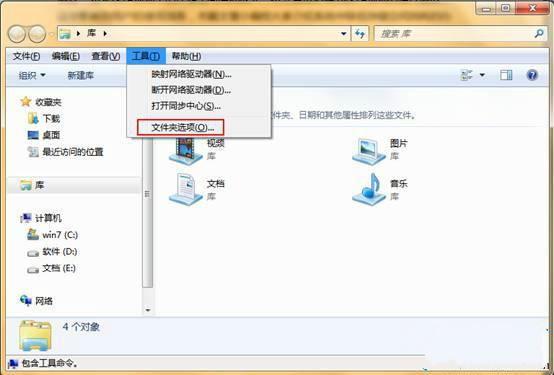
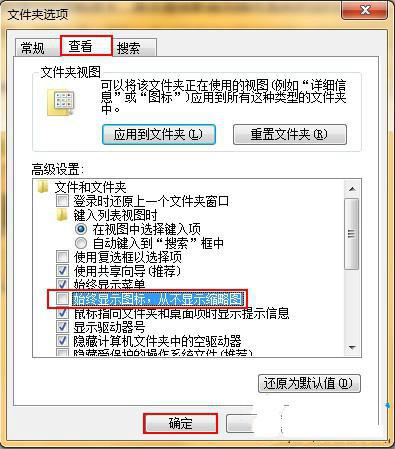
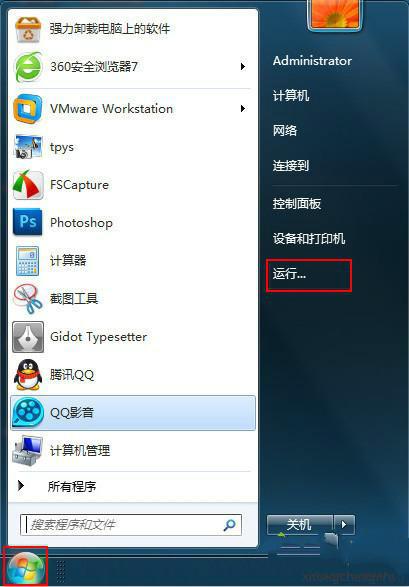
C 槽剩餘空間莫名縮水?罪魁禍首通常是縮圖快取與休眠檔案。本文教您關閉縮圖顯示、刪除休眠檔,輕鬆騰出數 GB 空間。
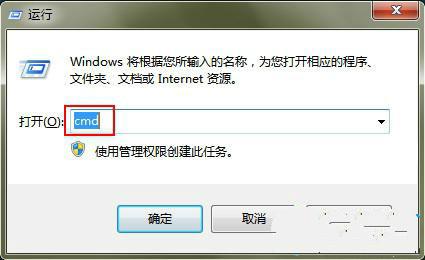
cmd
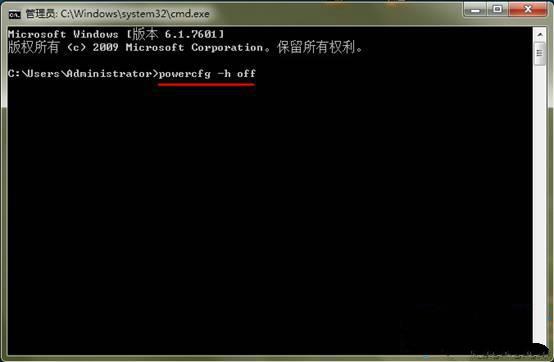
powercfg -h off
效果:休眠檔大小等同實體記憶體(如 8GB RAM → 8GB hiberfil.sys),關閉後立即釋放;關閉縮圖可減少 thumbcache_*.db 檔案持續增長。需重新啟用休眠請執行 powercfg -h on。
powercfg -h on
認識 Windows 7 系統映像備份與還原:替代 Ghost 與還原精靈
Win7 存取區域網路共享出現 0x80070035 錯誤?啟用 TCP/IP NetBIOS Helper 服務解決找不到網路路徑
Win7 旗艦版玩遊戲退出後系統變慢:登錄優化記憶體管理
Win7 旗艦版如何刪除事件檢視器日誌釋放資源提升速度?電腦管理清除舊事件記錄
Win7 資源管理器預覽窗格神技:Alt+P 開啟、圖片/文件/影音秒預覽、不用逐個開啟找檔案
Windows 7 「我最近的文件」總是空白:登錄檔與群組原則雙重修復
Win 7 能否靠多點觸控成功?亮點或成花瓶 缺革命性應用支撐
Win7 設定多核心 CPU 開機啟用:msconfig 啟用最大處理器數量與記憶體