需管控使用者無法另存網頁?群組原則一鍵禁用。
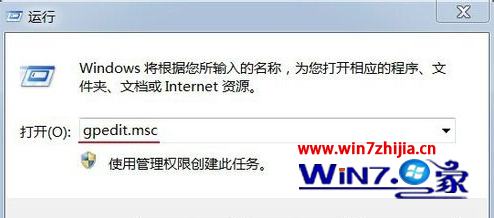
gpedit.msc
設定即時生效,IE 檔案選單中「另存為」變灰無法點選。
Win7 64 位使用 ping 指令測試網路速度與連通性
Windows 7 六大版本完整比較:入門版、家用版、專業版、企業版、旗艦版該怎麼選?
為 Windows 7 建立系統修復光碟與裸機還原完整指南
如何更改 Win 7 中 WMP12 預設解碼器?完整圖文教學
Win7 縮圖顯示錯亂 (圖片顯示成影片圖示) 兩種重建快取修復法
Windows 7 定時關機指令教學:shutdown 參數完整解析
Win7 禁止 USB 隨身碟使用防止病毒傳播?登錄修改 USBSTOR Start=4 停用 USB 大量儲存裝置
Win7 裝置管理員出現空白如何解決?