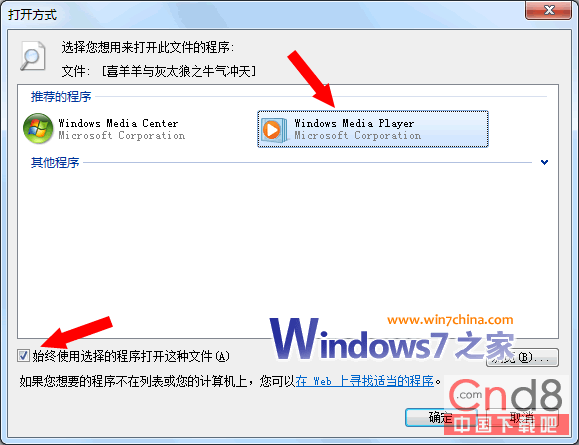
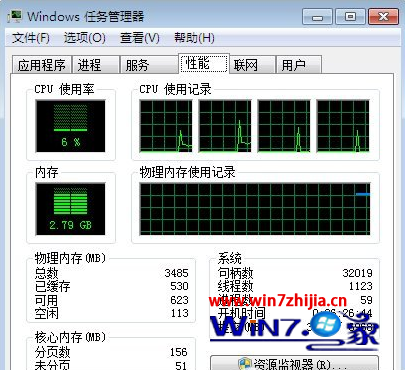
Windows 7 原生支援 AVI/WMV 等格式於資源管理器預覽播放。安裝第三方播放器 (如暴風、KMPlayer) 後,檔案關聯被搶佔導致預覽失效。解決:右鍵檔案 → 開啟方式 → 選擇 Windows Media Player 12 設為預設。RMVB/VOB 等非原生格式系統預設不支援預覽,屬版權與授權限制。
設定檔案關聯回 Windows Media Player 12
Windows 7 無法儲存認證導致網路印表機離線?手動建立 Windows 認證設為企業級持久性解決
Win7 藍牙週邊裝置驅動無法安裝 (黃色驚嘆號) 解決:停用裝置服務法
Windows 7 服務優化:十大絕對不可停用的關鍵服務清單
Win7 攝影機黑屏/啟動失敗?更新 USB 視訊裝置驅動程式修復
Windows 7 休眠狀態下繼續下載:註冊表啟用 AwayMode 省電又高效
Win7 顯卡硬體加速開關失效?修改系統檔案與登錄啟用「疑難排解」選項
從 XP 輕鬆升級 Win7 的 10 大關鍵建議:備份、自訂安裝、雙系統、Easy Transfer、XP Mode 全攻略
Win7 用優化軟體後視窗失焦?修改登錄鍵值 ForegroundLockTimeout 秒解決