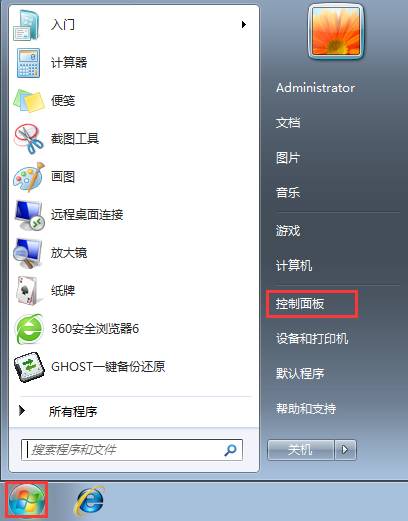
電腦頻繁藍畫面、隨機重開機?可能是記憶體出問題。Windows 7 內建的「Windows 記憶體診斷」免費又好用。
測試結束後會自動開機並顯示結果。若發現錯誤,建議更換記憶體模組。
Windows 7 與 XP 局域網共享權限設定全攻略:NTFS 權限與共享權限雙重把關
Win7 設定 IE 瀏覽器預設首頁圖文教學:三步完成
Win7任務列按鈕不合併設定:還原XP風格「任務列滿時才合併」避免遊戲切換誤觸
Mac 雙系統環境下移除 Win7 分區完整教學
軟體序號遺失?登錄檔查找 Windows/Flash/Dreamweaver/ACDSee/金山/瑞星/超級兔子/優化大師/PowerTools 序號位置
PCWorld 評選:十大最高價值 Windows 7 工具(多為免費)
Win7 設定 IPv6 完整教學:手動簡易設定與 netsh ISATAP 隧道指令、校園網常用隧道伺服器清單
Win7 繁體中文軟體顯示亂碼?語言包與非 Unicode 程式語言設定完整解決方案