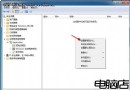
想一次看到 Windows 7 幾乎所有隱藏設定?「上帝模式」讓你輕鬆辦到。
GodMode.{ED7BA470-8E54-465E-825C-99712043E01C}
進入後可看到數百項系統設定分類,從網路、電源到使用者帳戶一應俱全,方便進階使用者快速調整。
Win7 系統內建 Tablet PC 輸入面板使用教學
Windows 7 設定自動登入:跳過密碼輸入加快開機體驗
Win7 Word 2010 設定開啟密碼保護文件教學
Windows 7 系統內建:Windows Media Player 12 新特性全解析
Win7 滑鼠懸停自動啟動視窗 設定輕鬆存取中心快速切換作用中視窗
Windows 7 音量圖示變灰無法調整音量解決方法
Win7 IIS 6 新增與修改應用程式集區完整操作指南
Win7藍屏代碼0x00000050解決:從超頻回退到硬件故障分級排查指南