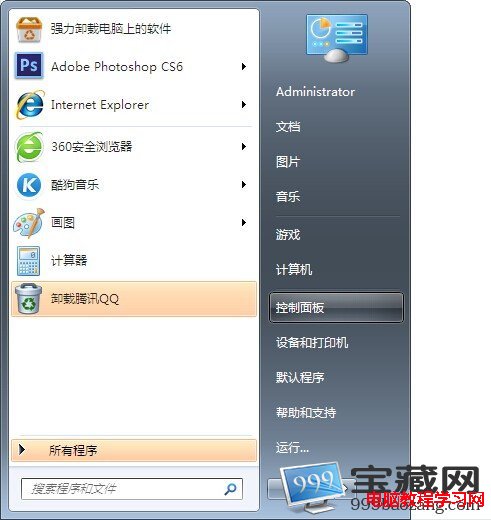
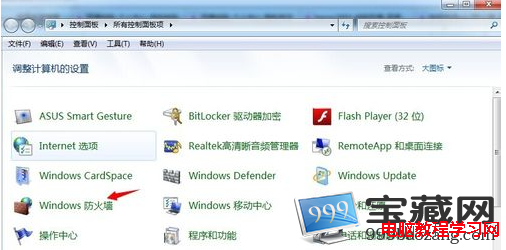
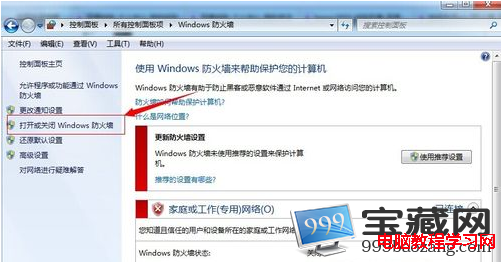
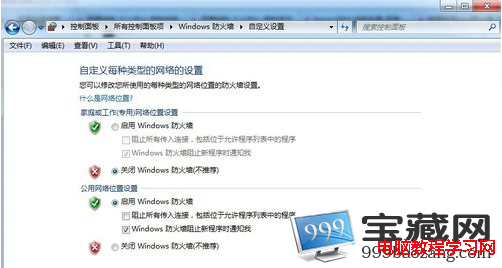
Windows 7 內建防火牆預設啟用,提供基本網路保護。開啟/關閉與進階設定入口:
進階設定(輸入/輸出規則、連線安全規則)可在左側「進階設定」進入。關閉防火牆會增加病毒/木馬入侵風險,非必要請保持啟用。
Mac Boot Camp 安裝 Win7 64 位元藍畫面解決方案:預先重命名 AppleMTP.sys/AppleMTN.sys 避免驅動衝突
Windows 7 滑鼠中鍵隱藏技巧:快速開啟/關閉視窗、標籤頁
解決 Windows 7 無法辨識 DVD 光碟機:刪除登錄檔 Upper/LowerFilters 或關閉驅動簽名強制
Win7 每次聯網都要跑「疑難解答」?一鍵修復 WLAN 服務與 Winsock 重置教學
用 Win7 內建「電源效率診斷報告」揪出筆電耗電大戶,延長電池續航
Win7 虛擬記憶體移離系統盤:釋放 3GB+ 空間、延長 SSD 壽命
Win7 任務列通知區找不到電源/電池圖示?群組原則啟用法
Win7 命令提示字元結束指定程序:tasklist 查詢 PID、taskkill /IM 或 /PID 強制結束