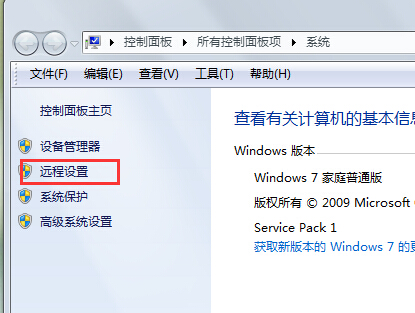
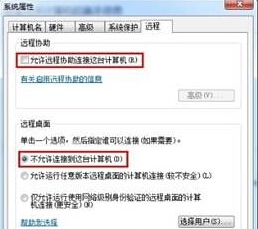
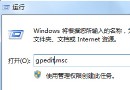
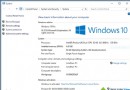
遠端桌面雖方便管理,但若帳號密碼弱或無密碼,極易被入侵。不需遠端管理時建議關閉。
之後任何電腦皆無法透過 RDP 連線至此主機。
Windows 7 磁碟分區陷阱:MBR 磁碟最多 4 個主分區,超過需用擴充分區
Win7 便箋「中繼資料損毀」修復:重新註冊 InkObj.dll 與 TPCPS.dll
從 Windows XP 升級到 Windows 7 完整 Q&A:14 個你最關心的問題
Win7 資料安全七大防線:防毒、IE8 智慧篩選、BitLocker、UAC、更新、清理、備份
Windows 7 分區越多越糟?新「程式庫」機制改變檔案管理邏輯
啟用Windows 7隱藏版「氣泡螢幕保護程式」進階效果
Win7如何設置「僅關閉顯示器不進入睡眠」?電源選項→編輯計劃設置→睡眠設置為「從不」+關閉顯示器自定時間
無需破解即可啟用 Win 7 旗艦版:第二枚「神 Key」現身