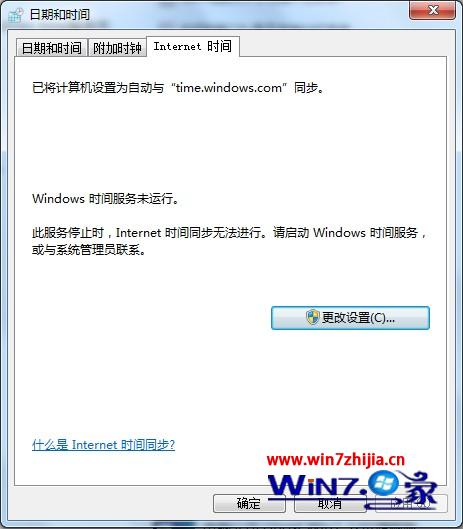
Windows Time 服務損壞會導致系統時間無法自動同步。可透過命令重新註冊服務,並改用中國國家授時中心 NTP 伺服器(210.72.145.44)提升同步精度。
w32tm /register
210.72.145.44
避免境外預設伺服器延遲高、連線不穩定問題。
Win7 右鍵選單「找不到應用程式」解決:清除殘留註冊值
Win7 如何屏蔽主機板內建音效卡?
Win7 64位旗艦版開啟/關閉視窗透明效果(Aero Glass)設定教學
Win7 32位 藍屏停止碼 0x00000040?刪除衝突網路連線重建修復
Win7 64 位 PPT 簡報顯示備註?雙螢幕擴展模式 + 投影片放映設定「顯示講者檢視」
Win7 進入安全模式兩大標準方法:F8 鍵與 Ctrl 鍵啟動選單
Windows 7 任務列取消合併:還原 XP 風格獨立按鈕,或僅在滿時合併
Windows 7 靜態 ARP 設定與刪除指令速查:netsh interface ipv4 neighbor 命令