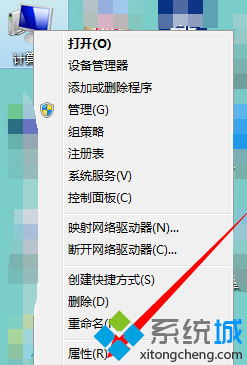
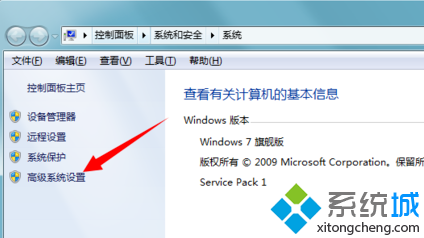
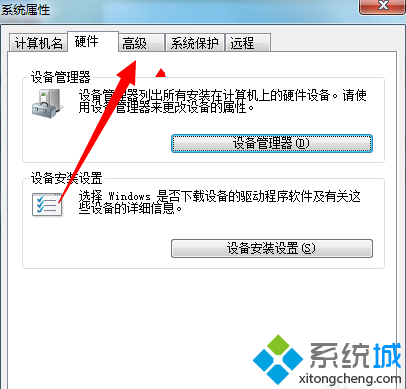
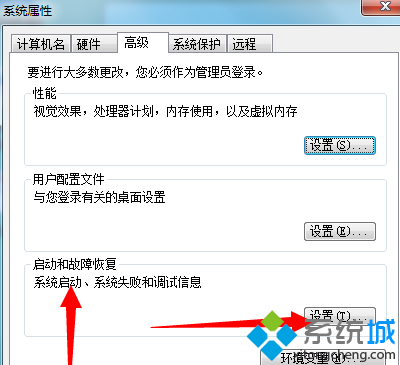
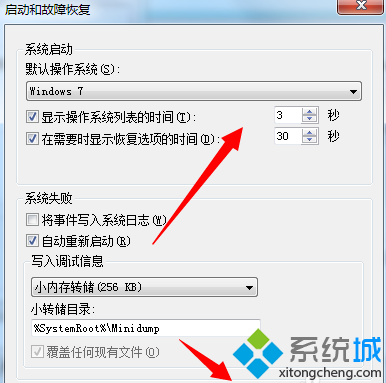
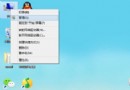
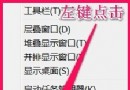
雙系統/多重開機時,預設等待 30 秒選擇作業系統。可自訂顯示清單時間縮短等待。
重開機後開機選單將依新秒數倒數。設為 0 可直接進入預設系統不顯示選單 (需確定預設系統正確)。
Win7 修改系統日誌儲存位置:登錄編輯指定自訂路徑
Windows 7 HomeGroup 家庭群組完整指南:輕鬆共享檔案與印表機
Win7如何設置任務欄按鈕「從不合併」?任務欄屬性→任務欄按鈕選「從不合併」每個窗口獨佔一個按鈕
Windows 7 內建 BitLocker 為 USB 隨身碟加密保護隱私
Windows 7 光碟機搖身變隨身碟:Live File System (UDF 2.5) 完整教學
安裝後外放與耳機同時出聲?Realtek 音訊控制台「裝置進階設定」勾選分離
Windows 7 建立標準使用者帳號,防止誤操作損壞系統
Win7 定時關機設定教學:任務排程器建立自動關機任務