若不使用 Windows Media Center,可透過本機群組原則停用,減少背景服務與資源佔用。
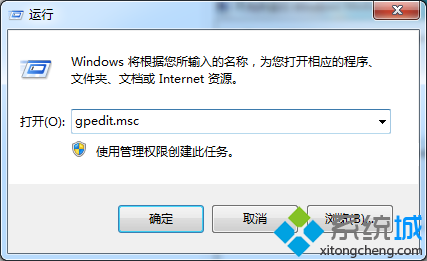
gpedit.msc
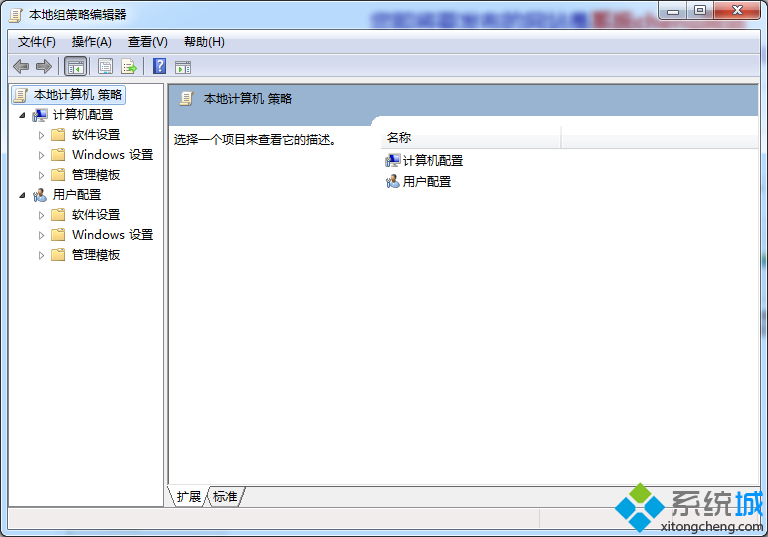
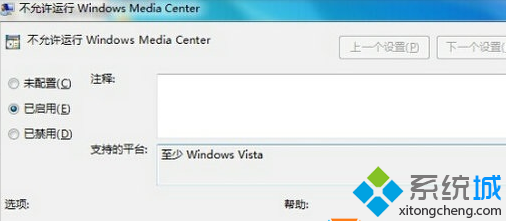
電腦設定 → 系統管理範本 → Windows 元件 → Windows Media Center
設定完成後,開始選單將不再顯示 Media Center,相關服務亦不會啟動。需恢復時改為「未設定」或「已停用」。
雨林木風 Win7 旗艦版任務列縮圖不顯示只顯示文字?更新顯卡驅動啟用 Aero Peek 修復
Win7 使用技巧大全 70 招:神鍵組合、隱藏功能、進階設定一次收藏
解決 Windows 7 網路共享錯誤 1061:蠕蟲病毒 Win32.Luder.I 清除與修復
Win7 快速開啟暫存資料夾(%temp%)技巧
Win7 系統加速五大絕招:精簡啟動項、縮短等待、加快關機、清理字型、調整服務
Intel 開始核實 P55 晶片組導致 Win 7 與 iPhone 不相容問題
優化登錄表加速 Windows 7 開機:完整實戰指南
Windows 7 系統優化入門:磁碟整理加速與啟動項精簡實戰