Windows XP Windows 7 Windows 2003 Windows Vista Windows 綜合教學 Linux 系統教學
Windows 10 Windows 8 Windows 2008 Windows NT Windows Server 電腦軟體教學

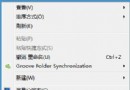
Win7 滑鼠右鍵無反應、選單不彈出?登錄表修復指令秒解決

編輯:Windows 7 系統介紹

Win7 右鍵選單失效通常因登錄表 NoViewContextMenu 值被設為 1。以管理員身分執行命令提示字元執行三行指令即可修復。

修復指令

  1. 開始 → 附屬應用程式 → 右鍵「命令提示字元」 → 「以系統管理員身分執行」。
  2. 依序輸入以下指令,每行按 Enter:
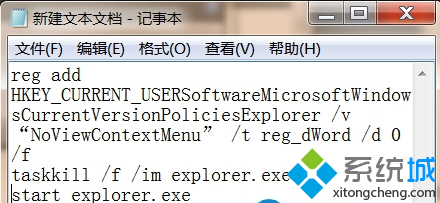
reg add HKCU\Software\Microsoft\Windows\CurrentVersion\Policies\Explorer /v "NoViewContextMenu" /t REG_DWORD /d 0 /f
taskkill /f /im explorer.exe
start explorer.exe

執行完成後桌面會閃爍一下,右鍵選單即恢復正常。
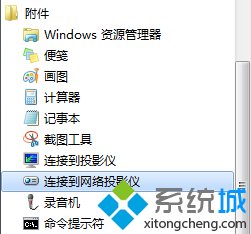
以管理員身分執行 CMD 執行修復指令畫面
Copyright © Windows教程網 All Rights Reserved