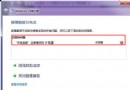
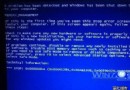
右鍵「電腦」選「管理」彈出錯誤訊息,因註冊檔 CompMgmtLauncher.exe 路徑錯誤,修正為 mmc compmgmt.msc 即可。
1. Win + R → regedit 開啟登錄編輯器。
2. 瀏覽至:HKEY_LOCAL_MACHINE\SOFTWARE\Classes\CLSID\{20D04FE0-3AEA-1069-A2D8-08002B30309D}\shell\Manage\command
3. 雙擊「預設」值,將數值資料從 %SystemRoot%\system32\CompMgmtLauncher.exe 改為 mmc compmgmt.msc,確定儲存。
右鍵「電腦」→「管理」即可正常開啟電腦管理,不再彈出錯誤。