Excel 數字後需加單位(元、公斤、個等),逐儲存格手動輸入太慢,使用「自訂格式」一鍵批次加單位。
1. 開啟 Excel 2007,輸入純數字資料。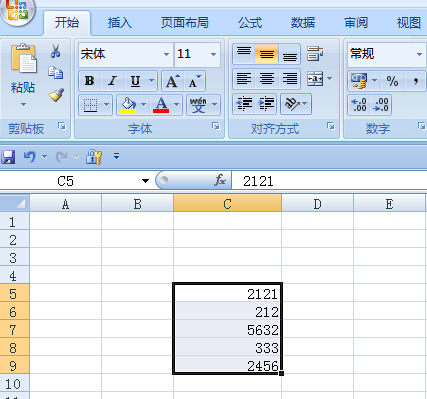
2. 選取需加單位的儲存格區域,右鍵 → 「設定儲存格格式」。
3. 「數字」索引標籤 → 左側分類選「自訂」,右側「類型」輸入:0"元" 或 0.00"kg"(引號內為欲加單位),確定。
所選儲存格數字後即自動顯示單位,儲存格實際值仍為純數字,不影響計算。
Windows 7 下載版出錯引投訴 微軟稱非正式版國內不受影響
Win7 開啟 Wi-Fi 熱點 (虛擬 AP) 完整指令碼教學:netsh wlan hostednetwork 實戰
Windows 7 一鍵關閉所有執行中程式:Taskkill 指令建立捷徑/熱鍵/釘選工作列
Win7 升級 Win10 後新建檔案/資料夾提示「需要管理員權限」?修復桌面資料夾真實路徑解決
Win7 設定共用網路(ICS):有線網路分享給無線裝置完整圖文教學
Windows 7 檔案共享完整設定:Guest 帳號、進階共用、雙層權限 (共用+NTFS) 與 Everyone 關鍵角色