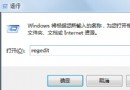
任務列圖示滑鼠停留彈出預覽視窗延遲過久,可透過登錄檔縮短 DesktopLivePreviewHoverTime 與 MouseHoverTime 數值。
1. 桌面右鍵 → 「新增」 → 「文字文件」。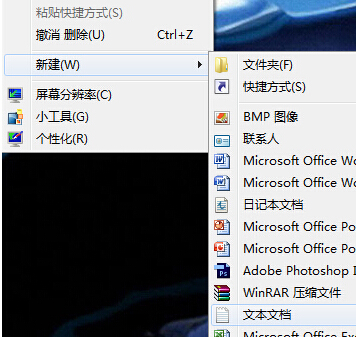
2. 貼入以下內容並另存為 fix_preview_delay.reg:
Windows Registry Editor Version 5.00

[HKEY_CURRENT_USER\Control Panel\Mouse]
"MouseHoverTime"="100"

[HKEY_LOCAL_MACHINE\SYSTEM\CurrentControlSet\Control\SecurePipeServers\winreg]
"RemoteRegAccess"=dword:00000001

[HKEY_CURRENT_USER\Software\Microsoft\Windows\CurrentVersion\Explorer\Advanced]
"DesktopLivePreviewHoverTime"=dword:000000f4
3. 雙擊執行 .reg 檔匯入登錄檔,重新開機生效。
預覽視窗彈出速度將明顯加快(約 0.5 秒)。