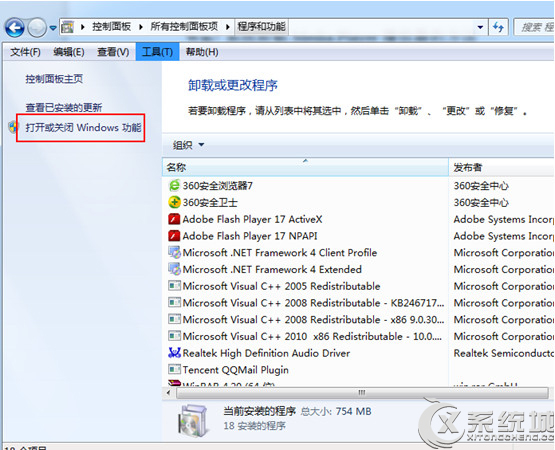
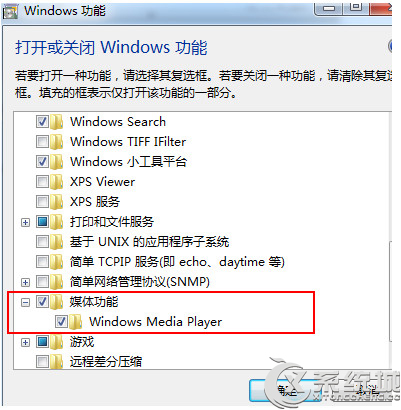
Windows 7 內建 Windows Media Player 可透過「Windows 功能」解除安裝:
Windows Features
解除安裝後關聯檔案類型將改用其他播放器開啟,如需恢復可同路徑重新勾選安裝。
Windows 7 媒體庫深度解析:跨裝置檔案聚合、刪除行為差異、網路共享限制
Win7 頻繁死機/定屏實戰解決錄:從軟體衝突、BIOS、硬碟模式、顯卡 PowerPlay 到主板 BIOS 更新
Windows 7 更改輸入法圖示:自訂任務列語言列圖標
Win7 桌面 IE 圖示刪不掉?註冊表刪除 DesktopNameSpace 對應 CLSID 徹底移除
Win7 上網慢?七大常見原因與對應解決方案 (頻寬、病毒、蹭網、ARP、DNS、硬體、系統限制)
Windows 7 內建稽核功能 讓你知道誰偷用 QQ 與迅雷
Windows 7 內建 BitLocker To Go:隨身碟加密零成本,遺失也不怕資料外洩
Win7 安裝 Office 2013 錯誤 1402/1920/1406 完整解決方案彙整