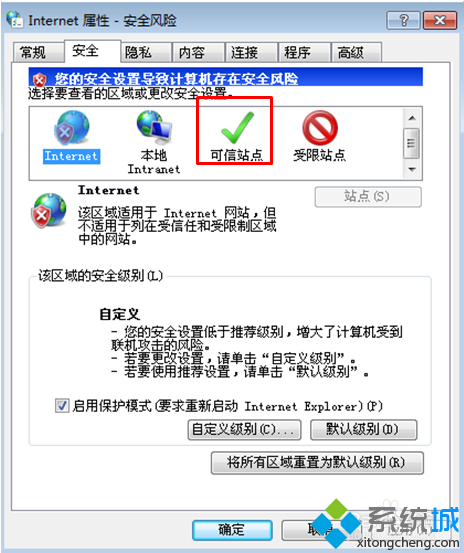
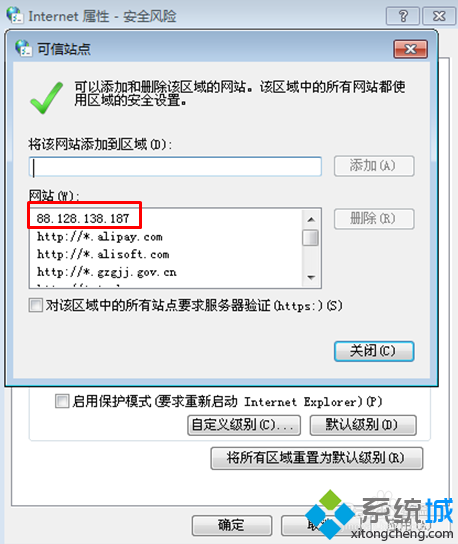
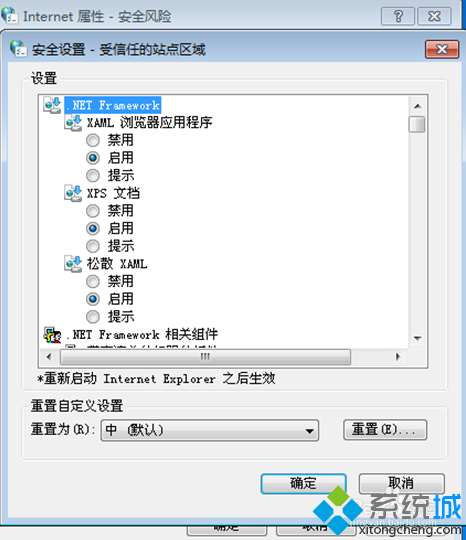
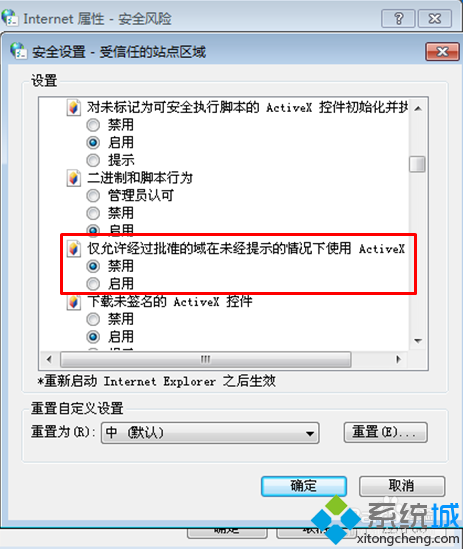
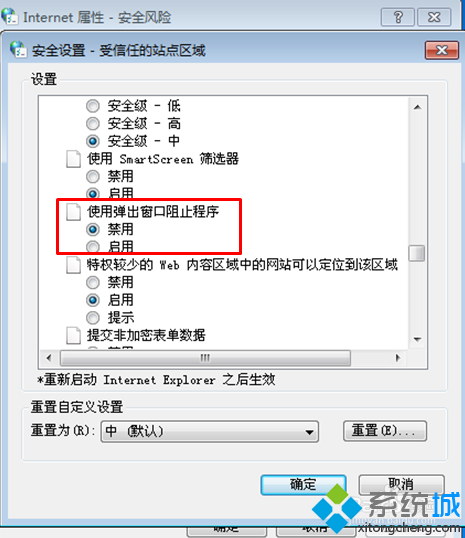
網頁上傳按鈕顯示紅叉無法點擊,IE 信任網站設定解決:
信任網站+精準安全性設定,解決上傳元件被阻擋問題。
Win7 系統優化:別盲目停用服務,Network Location Awareness/RPCSS 等關鍵服務停不得
Windows 7 開機後桌面假死?關閉兩項動畫特效即時解決
自訂續航方案玩轉 Win7 電源管理:平衡/節能/高效能三預設、自建方案、行動中心一鍵控制亮度音量電池無線
Win7 32位 防止 USB 自動執行木馬三大對策:關閉 WebClient、禁用自動播放、隱藏快捷方式圖示
Win7 個性化桌面進階:自製資料夾圖示與指定預覽圖片
CMD命令提示字元5大實用技巧:自訂外觀、快速編輯與路徑操作
Win7 下只分一個區就夠了?大硬盤分區爭論再起:庫功能、Windows.old、備份策略成關鍵
Win7 禁止開機彈出 Adobe Flash Player 自動更新視窗 (控制台設定法)