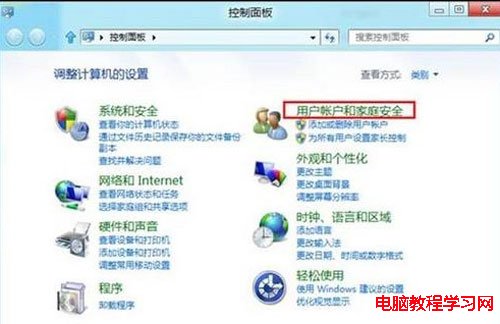
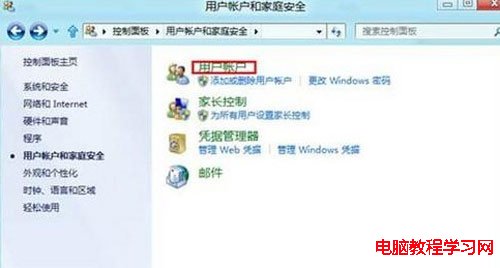
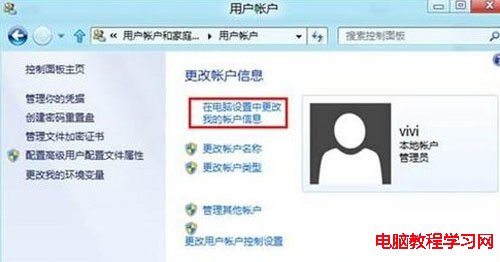
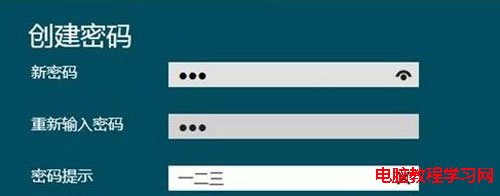
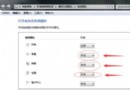
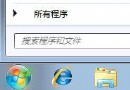
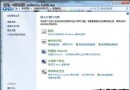
許多使用者習慣為系統帳號設定密碼以保護隱私,但對於全新的 Windows 8 系統,部分用戶可能對操作流程感到陌生。本文將透過詳細的圖文步驟,教導您如何在 Windows 8 中輕鬆建立帳號密碼。
透過上述詳細的圖文說明,Windows 8 使用者是否已一目了然?其實設定 Windows 8 帳號密碼的流程與 Windows 7 或 XP 系統非常相似,操作起來就是這麼簡單直觀。
盯上 Win7 的新型 USB 病毒「資料夾模仿者」:偽裝系統圖示誘導點擊
重裝 Win7 後開機提示 Invalid partition table:DiskGenius 重建 MBR 分區表修復
Windows 7 開機黑畫面僅有滑鼠游標?修復 explorer.exe 登錄值恢復桌面
蘋果高管批評 Windows 7 缺乏新意、難用且昂貴
Win7旗艦版一鍵共享功能使用全攻略
查看 Windows 7 確切開機時間:事件檢視器系統日誌篩選 EventLog 來源
Win7 開啟四聲道輸出 讓喇叭環繞聲效更震撼
Win 7 網卡驅動程式安裝三大法:裝置管理員手動更新、主板光碟全自動、驅動精靈一鍵搞定