Win7 內建 IIS 7.5 預設隱藏 ASP 錯誤細節,僅顯示「請聯繫管理員」。開發除錯時需開啟詳細錯誤,上線前建議關閉以減少攻擊面。
REM 開啟詳細錯誤
%windir%\system32\inetsrv\appcmd set config -section:asp -scriptErrorSentToBrowser:true

REM 關閉詳細錯誤(上線前執行)
%windir%\system32\inetsrv\appcmd set config -section:asp -scriptErrorSentToBrowser:false
需以系統管理員身分執行 CMD。
%windir%\system32\inetsrv\config\applicationHost.config。<system.webServer> 區段下的 <asp> 元素。scriptErrorSentToBrowser="true"。前提:已在「開啟或關閉 Windows 功能」→ IIS → 開發應用程式 → ASP 勾選安裝。
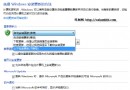
IE/Edge 需同時關閉「顯示易懂 HTTP 錯誤訊息」:
Internet 選項 → 進階 → 取消勾選「顯示易懂 HTTP 錯誤訊息」。
開發完成後務必執行 scriptErrorSentToBrowser:false 關閉詳細錯誤,避免洩露路徑、資料庫連線字串等敏感資訊。