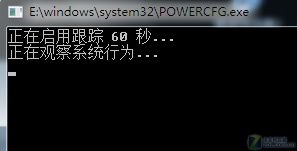
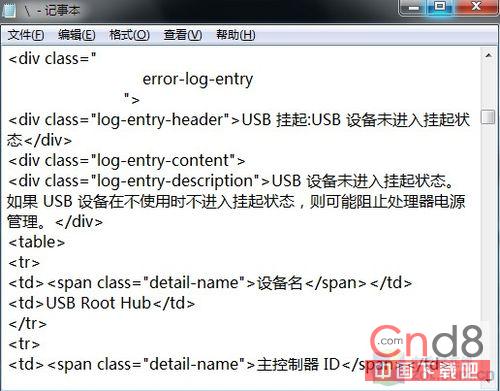
Windows 7 簡化 powercfg 指令用法。於開始選單搜尋列輸入 POWERCFG -ENERGY -OUTPUT D:\,系統自動分析電源使用狀況,產生 HTML 報告於 D 槽根目錄。用記事本或瀏覽器開啟,可見詳細分析結果,據此調整專屬電源方案,比網上通用建議更精準有效。
powercfg
POWERCFG -ENERGY -OUTPUT D:\
圖1
圖2
Windows 7 工作列美化進階技巧:一鍵開網頁、桌面快捷選單、大小切換、位置移動
Tab 鍵的多重實用技巧:從切換焦點到命令提示字元自動完成
Windows 7 內建虛擬 Wi-Fi 熱點完整設定:指令建立 + ICS 共享 + 靜態 IP 進階技巧
Windows 7 徹底移除印表機驅動程式技巧 (列印伺服器屬性法)
Win7 IE9 收藏夾無法使用?重設 Internet Explorer 設定恢復功能
Windows 7 與 Windows 8 效能實測大比拚
Win7 批次修改照片檔名:內建重命名功能一鍵完成,無需第三方軟體
Windows 7 Word 文件另存為 PDF 格式教學:安裝 Microsoft 官方「另存為 PDF 或 XPS」增益集