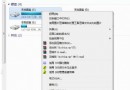
Windows 7 的桌面右鍵選單支援自訂擴充。若想直接從右鍵選單快速開啟特定網站(如 Windows 7 之家),只需建立一個註冊表檔案匯入即可。
操作步驟:
Windows Registry Editor Version 5.00

[HKEY_CLASSES_ROOT\Directory\Background\shell\Win7china]
[HKEY_CLASSES_ROOT\Directory\Background\shell\Win7china\command]
@="iexplore www.win7china.com"
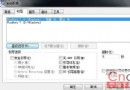
Add.reg(類型選「所有檔案」)完成後,在桌面空白處右鍵即可看到新增的選單項目,點擊即可直接開啟指定網站。同理可添加其他常用網址,只需修改指令中的 URL。