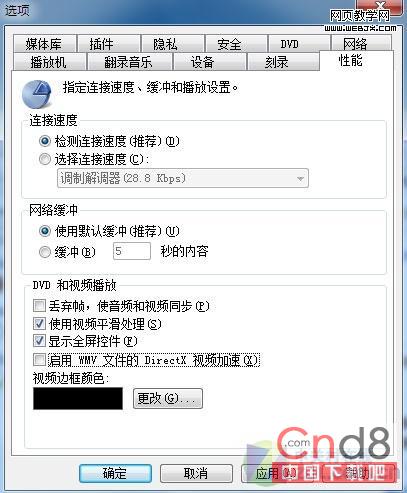
XP 時代開啟 WMP 影片加速助老顯卡播高清,現代硬體(跑得動 Win 7 的配備)已足夠解碼,開啟反而導致 CPU 100% 佔用。
隨硬體進化調整設定,節省資源、降低發熱。
Windows 7 RC 十大新功能深度體驗:超級工作列、Aero Peek、Libraries 革新
Win7 BitLocker 解鎖後免重啟直接上鎖指令
Win7 64位旗艦版搜狗輸入法無法使用?三大常見原因與解決方案
Win7 硬碟安裝 Ubuntu Kylin 14.10 完整圖文教學:EasyBCD 引導 + NeoGrub + 硬碟啟動安裝
淘寶現 70 元廉價「正版」Win7 實為戴爾 OEM 升級版 需留意授權限制
英文版 Win7 旗艦版如何改成中文介面?控制台安裝語言包並變更顯示語言完整教學
Hack in the Box 大會前瞻:Windows 7 64 位元與 Mac OS X 核心級 DMA 漏洞難修補
Windows 7 無法建立家庭群組?完整排除與解決指南