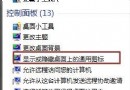
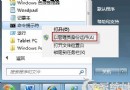
Win7 將「資料夾選項」移至檔案總管「組織」選單中,設定隱藏檔案顯示只需三步驟。
隱藏檔案屬性需配合檔案/資料夾內容中的「隱藏」核取方塊使用,本設定僅控制總管是否顯示這些已標記為隱藏的項目。
Windows 7 安裝完整流程圖解:從 BIOS 設定到桌面完成
Windows 7 Home Basic 安裝實測截圖:無法透過個人化更換桌布、功能極接近 Starter 版
Win7 開機自動撥號上網(寬帶連線)設定教學:使用工作排程器實現
修改 hosts 檔案徹底封鎖惡意網站:位置、編輯技巧、四大應用場景
Win7 開始功能表深度探索:Jump List、釘選、搜尋、自訂、找回「執行」
Windows 7 啟動項完整圖譜:5 大載入機制、註冊表、排程、服務、啟動資料夾全覆蓋
Win7 32位 CPU 超頻導致藍屏:散熱不足與軟體超頻風險分析
Win7 硬碟指示燈狂閃?關閉三大「硬碟殺手」服務與優化設定