適用情境
無安裝光碟(OEM 筆電)、光碟遺失/損壞,需離線修復開機、還原系統映像。
製作步驟
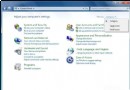
- 控制台 → 「系統與安全」→ 「備份和還原」。
- 左側「建立系統修復光碟」。
- 選擇燒錄裝置(CD/DVD),放入空白光碟 → 「建立光碟」。


功能說明
- 光碟含
Winre.wim、boot.sdi,可引導進入 WinRE 修復環境。
- 支援「啟動修復」、「系統還原」、「系統映像恢復」、「Windows 記憶體診斷」、「命令提示字元」。
- 亦可修復 Vista 系統引導。
建議每位 Win7 使用者預先燒製一片,關鍵時刻救命稻草。