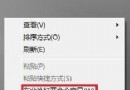
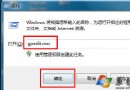
原因:木馬/病毒修改 .exe 檔案關聯。
regedit.exe 改名 regedit.com 或 regedit.scr。regedit.com,定位 HKEY_CLASSES_ROOT\exefile\shell\open\command。"%1" %*。regedit.com 改回 regedit.exe。將以下內容存為 exefile.reg(REGEDIT4 後留一空行),雙擊或純 DOS 下 regedit exefile.reg 匯入:
REGEDIT4

[HKEY_CLASSES_ROOT\exefile\shell\open\command]
@="\"%1\" %*"
cmd.exe 改名 cmd.com 執行。ftype exefile="%1" %*assoc .exe=exefilecmd.exe。EXE → 「進階」→ 關聯程式選「應用程式」→ 確定。方案一/二最通用,修復後務必全盤掃毒清除木馬根源。
Win7 修復 explorer.exe 伺服器執行失敗:取消「在獨立程序中開啟資料夾視窗」
Win7 開機自啟動項完整清查:啟動資料夾/msconfig/登錄檔 Run/Win.ini/System.ini/服務
Windows 7 開機引導修復全攻略:MBR、PBR、BCD、Bootmgr 完整說明與指令操作
Win7 滑鼠滾輪 6 大隱藏玩法:縮放網頁/自動捲動/背景開啟連結/關閉分頁/切換資料夾檢視/縮放桌面圖示
Win7 刪除 windows.old 備份資料夾,一鍵釋放 20GB+ 空間
Win7 系統還原與備份完整指南:還原點、磁碟影像、離線修復