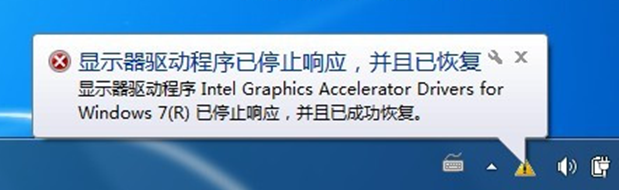
開機或啟動特定軟體時彈出 `msxml3.dll` 相關錯誤 (如「無法載入 msxml3.dll」、「指定的模組找不到」),常見於 IE 組件損壞、MSXML 版本衝突、惡意軟體掛載。分級排解流程如下。
分級排解步驟
第一級:IE 重置 (最快、無損)
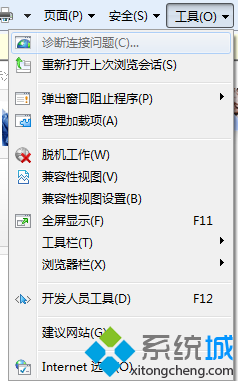
- IE → 工具 (齒輪圖示) → 「網際網路選項」→ 「進階」頁籤 → 「重設...」→ ☑ 「刪除個人設定」→ 「重設」。
- 重開 IE 測試。
第二級:重新安裝 MSXML 6.0 (核心修復)
- 下載 Microsoft 官方 MSXML 6.0 SP2 (搜尋 `msxml6.msi` / `msxml6_x64.msi`)。
- 若已安裝,先控制台 → 程式和功能 → 解除安裝「Microsoft XML Parser 6.0」/「MSXML 6.0 Parser」。
- 以管理員身分執行 `.msi` 安裝 → 重開機。
第三級:惡意軟體深度掃描
- 安全模式 (含網路) → 使用 Windows Defender 離線 / Kaspersky Rescue Disk / Malwarebytes 免費版完整掃描。
- 針對 `C:\Windows\System32\msxml3.dll`、`msxml6.dll` 檔案雜湊驗證 (SHA256 比對官方值)。
第四級:系統檔案修復
- 管理員命令提示字元 → `sfc /scannow`。若無法修復,查看 `C:\Windows\Logs\CBS\CBS.log` 尋找 `msxml3.dll` 相關條目。
- DISM 修復 (需安裝 Windows 7 DISM 套件):`DISM /Online /Cleanup-Image /RestoreHealth`。
進階:註冊表檢查 COM 元件註冊
`regedit` 檢查 `HKCR\CLSID\{F5078F18-C551-11D3-89B9-0000F81FE221}` (MSXML 3.0 DOMDocument) → `InprocServer32` 預設值應指向 `C:\Windows\System32\msxml3.dll`,`ThreadingModel` = `Both`。若遺失/錯誤,可從正常同版本系統匯出該分支 `.reg` 導入修復。