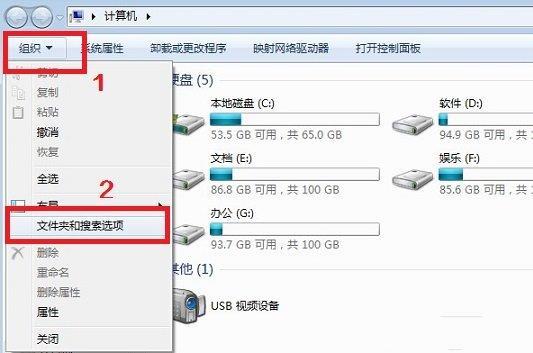
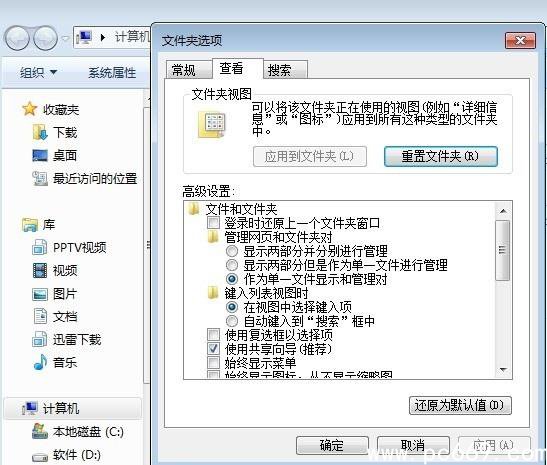
Win7 將「資料夾選項」移入「組織」選單,許多 XP 習慣用戶找不到。只需三步即可開啟:
同樣功能也可在控制台 → 「外觀及個人化」 → 「資料夾選項」找到。
Windows 7 桌面小工具消失?命令提示字元註冊 DLL 快速修復
Win7 升級 Win10 後 Office 2013 檔案無法開啟?修復安裝或 icacls 指令修復權限
Win7 開啟「上帝模式」完全控制面板:單一視窗掌控 278 項系統設定
Windows 7 安全性:決定成敗的關鍵戰役
Windows 7 開機畫面切換為詳細啟動資訊:像 DOS 時代一樣看驅動載入
區域網路存取 Windows 7 主機提示輸入密碼?關閉密碼保護共享解決
Win7彈出「Runtime Error」執行階段錯誤?註冊表清理Run鍵值與軟體重裝解決
Win7 智慧音量控制:通訊活動自動降低其他聲音 (50%/80%/靜音)