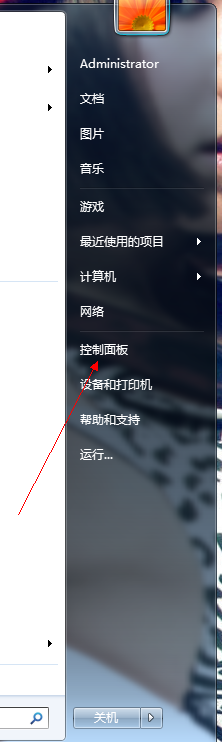
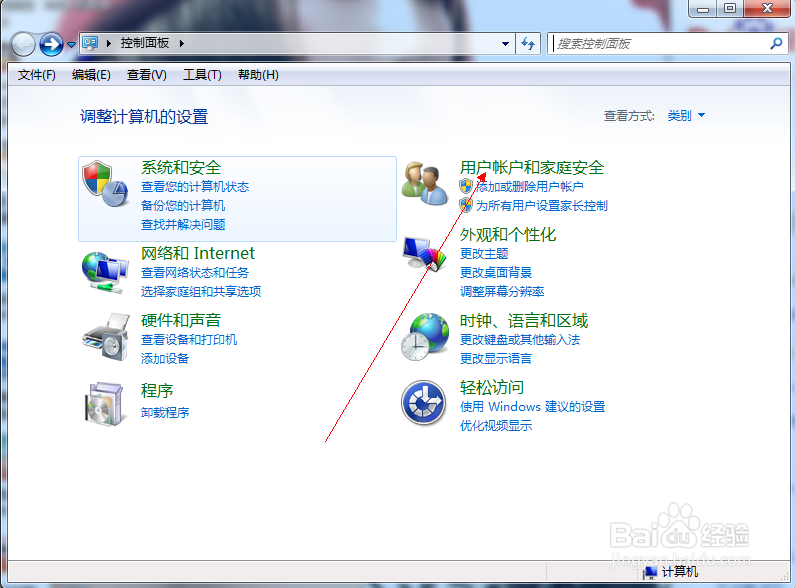
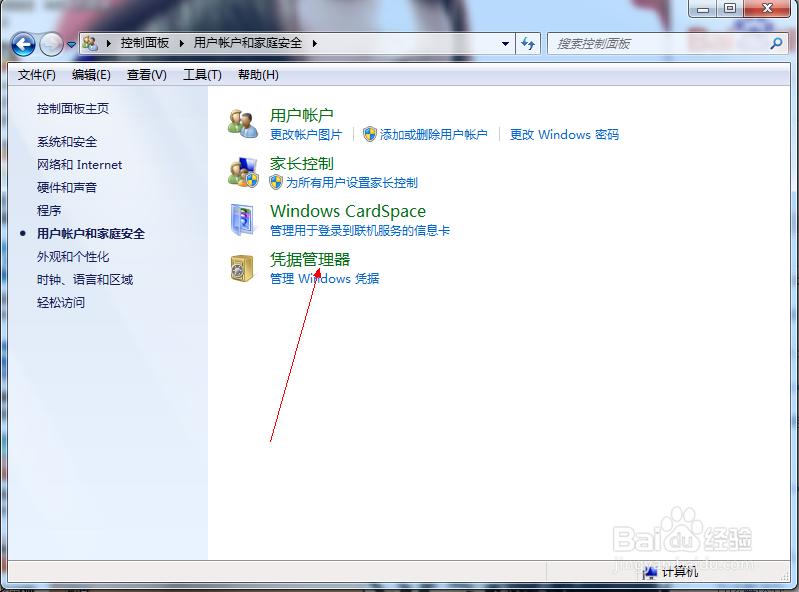
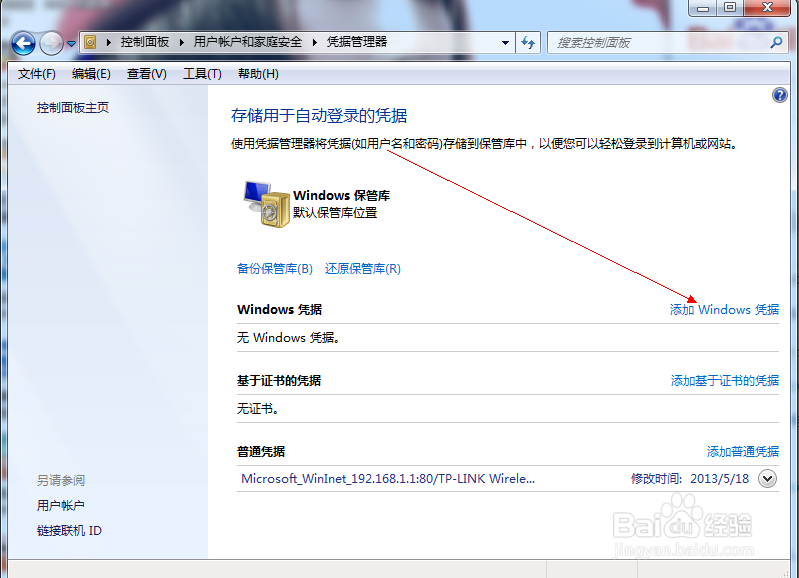
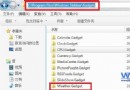
Windows 憑證管理員可儲存網路位置、網站、應用程式的登入帳密,避免重複輸入。Win7 操作路徑如下:
\\192.168.1.100
圖示流程:
Win7 硬碟分割/調整分區大小不重裝系統:磁碟管理精靈圖文教學
Windows 7 無法上網?重置網路介面卡與重新啟用連線解決
Windows 7 工作管理器直接查看程式虛擬記憶體使用量
為 Win7 資源管理器導覽窗格加上醒目標記 快速識別當前資料夾位置
Win7 64位旗艦版桌面「電腦」圖示不見了怎麼找回?顯示桌面圖示設定教學
Win7 提示「無法偵測到撥號調製解調器」?檢查網卡驅動、啟用狀態與 PPPoE 模式
11 月市場報告:XP 明顯下滑、Win 7 快速上升至 3.98%、IE8 份額增長
Win7 安裝 VPN 後無法上網?重置 TCP/IP 與 DNS 解決