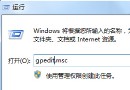
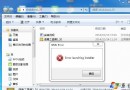
Windows 7 預設僅支援微軟簽章主題,安裝第三方主題(如清新雅緻的 Elune)需先破解系統檔案限制。以下為完整步驟:
Tools\UniversalThemePatcher\UniversalThemePatcher-x86.exe(32 位元)或 -x64.exe(64 位元)破解主題簽章限制;若已安裝 SP1,再執行一次。Tools\Add Take Ownership Option\Add Take Ownership Option.reg 匯入登錄,獲得檔案擁有權選單。Themes 資料夾內所有檔案複製到 C:\Windows\Resources\Themes。C:\Windows\System32 找 explorerframe.dll → 右鍵「取得擁有權」 → 備份原檔 → 從主題包 System Files 複製對應位元版本的破解檔覆蓋。注意:修改系統檔案有風險,建議先建立系統還原點;若主題套用後介面異常,可進安全模式還原 explorerframe.dll 備份檔。