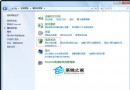
IP 位址是電腦網路身分識別,常需查詢卻難記憶。命令提示字元下單一指令即可顯示完整網路設定。
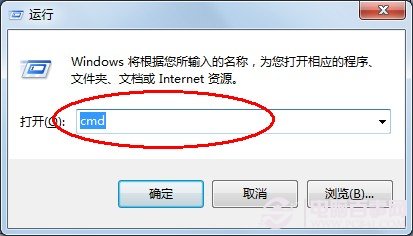
cmd
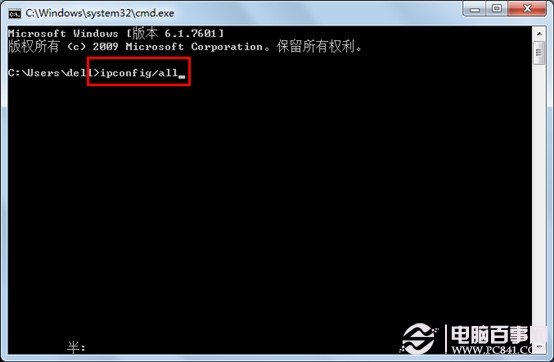
ipconfig /all
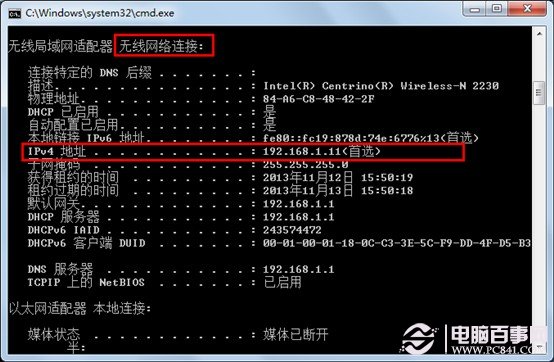
IPv4 位址
192.168.x.x
Win7 旗艦版禁止複製資料夾?無法僅禁用複製,可拒絕讀取權限
Win 7 位置感知列印:外勤族福音,自動切換預設印表機
微軟承認 Windows 7 激活被繞過,正研發對策封堵破解
Win7 32位 系統工作群組名稱無法更改?啟用 Server 與 Workstation 服務
Win7 開始選單搜尋框不見了?開啟 Windows Search 功能 5 分鐘找回
Win7 內建 ISO 燒錄工具:無需第三方軟體,雙擊 ISO 即可燒錄光碟/驗證資料
Win7如何屏蔽瀏覽器廣告彈窗/惡意網站?修改Hosts文件將域名解析至127.0.0.1徹底阻斷
Win7 開機提示 cdmsnroot_s.sys 損壞?PE 環境刪除檔案並修復磁碟