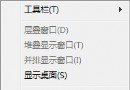
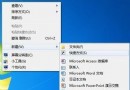
Win7 移除了 XP 樣的「掃描儀與相機」控制台項目,掃描功能整合在「裝置和印表機」與 WIA 服務中。提供兩種快速存取方式。
C:\Windows\System32\wiaacmgr.exe
Windows 7 遠端取回任意檔案:OneDrive 「讓我使用 OneDrive 取回此電腦上的任何檔案」功能完整教學
Windows 7 安裝失敗三大常見原因與排除對策
Windows 7 零售版全面補貨,盜版難題與正版優勢並存
Win7 USB 隨身碟 Word 檔打不開?三大成因:病毒感染、USB 壞軌、檔案損壞 分對策
圖解硬碟安裝 Windows 7 完整步驟(含 NT6 HDD Installer 使用)
Win7 32位系統刪除「未知帳戶」權限項目:資料夾安全性頁面操作
Win7 出現「線上檢查解決方案並關閉程式」?正確排除步驟與預防措施
Windows 7 日常常見問題與解決:藍屏、截圖花屏、找回「執行」指令