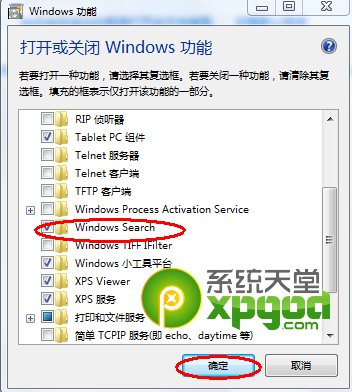
搜尋框消失通常是因 Windows Search 功能被誤關閉,重新啟用即可自動修復,無需重灌系統。
Windows 7 螢幕畫面上下顛倒 (旋轉 180 度) 修復:顯示卡控制面板與熱鍵
Win7 桌面圖示大小怎麼調?右鍵「檢視」三級調整 + 自動排列/對齊網格技巧
Win7 關閉視窗智慧排列 (Aero Snap) 登錄檔法
Win7 藍畫面死機?七大通用排查步驟與錯誤代碼查詢法
Win7 右鍵「電腦」內容無法開啟?登錄檔修復 Desktop NameSpace 解決
Win7 系統 15 個必學高效率快捷鍵
Win7 調整螢幕亮度:控制台電源選項與 Win+X 行動中心雙管道
Win7 12 大常用快捷鍵總表:Win+E/L/D/R/F/M/數字鍵... 效率倍增