Windows XP Windows 7 Windows 2003 Windows Vista Windows 綜合教學 Linux 系統教學
Windows 10 Windows 8 Windows 2008 Windows NT Windows Server 電腦軟體教學

Win7 刪除 DLL 檔案釋放記憶體?註冊表 AlwaysUnloadDLL 讓系統自動卸載未使用動態連結庫

編輯:Windows 7 系統介紹

DLL (動態連結庫) 被程式載入後,程式關閉時未必立即從記憶體卸載。啟用 AlwaysUnloadDLL 註冊表值,讓系統在 DLL 參考計數歸零時自動卸載,釋放記憶體。

設定步驟

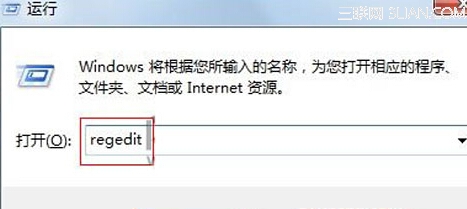
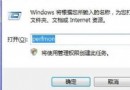
  1. Win + R → regedit。
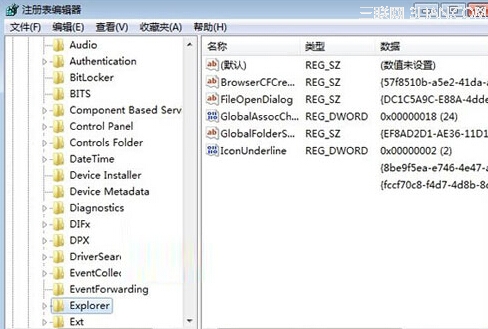
  2. 導航:HKEY_LOCAL_MACHINE\SOFTWARE\Microsoft\Windows\CurrentVersion\Explorer。
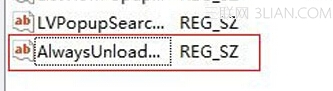
  3. 右鍵空白處 → 「新增」 → 「字串值」 (或 DWORD) → 名稱 AlwaysUnloadDLL。
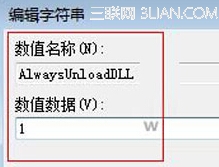
  4. 雙擊修改數值資料為 1 (啟用),0 為停用。
  5. 重新開機生效。

執行 regedit

Explorer 鍵位置

新增 AlwaysUnloadDLL

設定值為 1

注意:此為舊版 Windows (9x/NT) 遺留機制,Win7 記憶體管理已極佳,啟用效果有限,且可能導致頻繁載入/卸載降低效能。建議僅在記憶體極度受限 (≤2GB) 環境嘗試,平時無需開啟。


Copyright © Windows教程網 All Rights Reserved