Win7 桌面「家庭群組」圖示右鍵無刪除選項,需透過登錄檔移除對應命名空間鍵值。
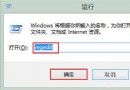
regedit
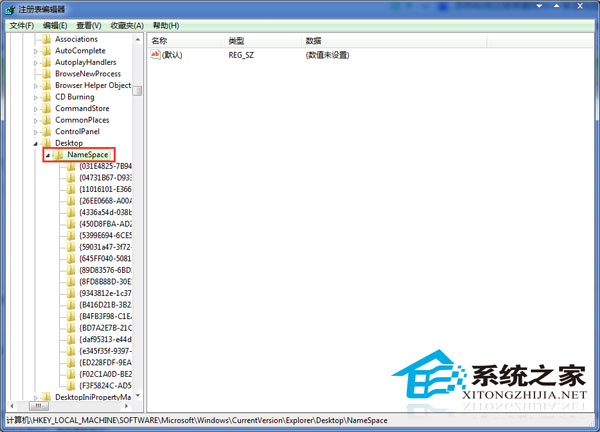
HKEY_LOCAL_MACHINE\SOFTWARE\Microsoft\Windows\CurrentVersion\Explorer\Desktop\NameSpace
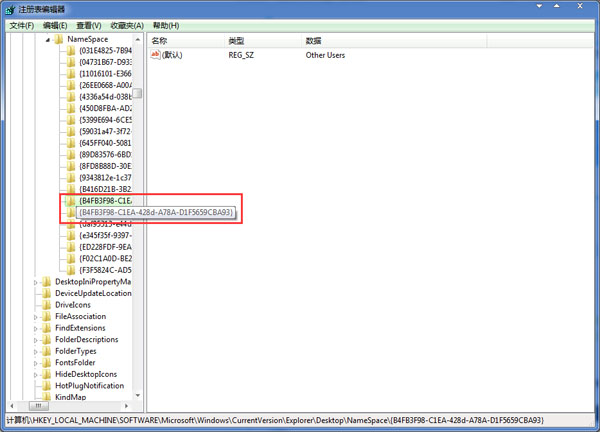
{B4FB3F98-C1EA-428D-A78A-D1F5659CBA93}
清理無用桌面圖示,讓工作環境更整潔,亦可微幅提升開機速度。
Windows 7 取消網頁自動儲存密碼設定教學
逐項剖析 Windows 7 革命性工作列 11 大特性:釘選、統一、互動縮圖、Aero Peek、跳躍清單...
Windows 7 內建備份還原全攻略:還原點建立、分級還原與實測心得
掌握 Win7 旗艦版防火牆進階設定:啟用、例外規則與網路位置策略
Win7 系統新增「用記事本開啟」至右鍵選單的完整教學
Win 7 七大美中不足:缺少 Messenger/Movie Maker、舊周邊驅動缺失、介面適應期、非免疫病毒、XP 升級困難、定價複雜、客服不足
從 Windows XP 升級到 Windows 7:選擇升級安裝還是全新安裝?
Windows 7 內建相容性疑難排解:一鍵修復舊程式安裝失敗