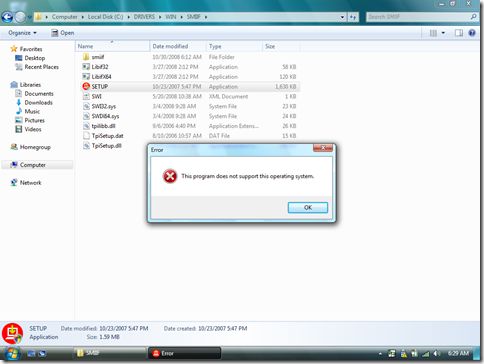
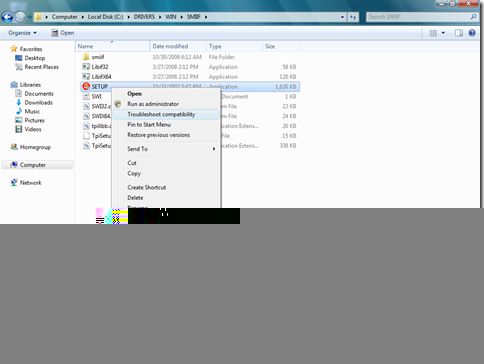
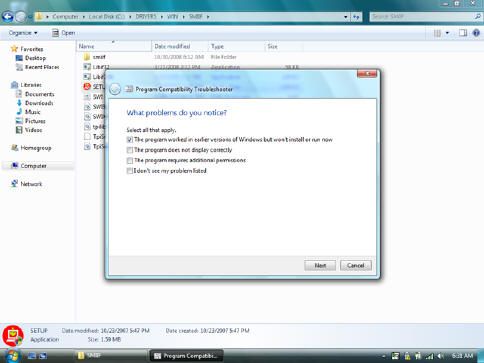
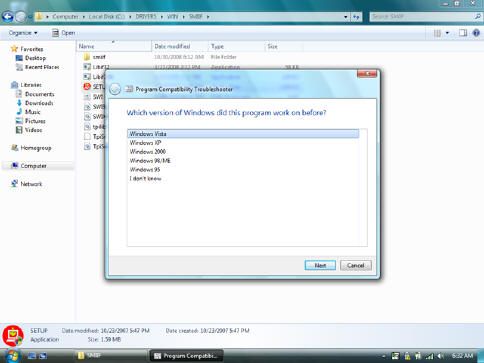
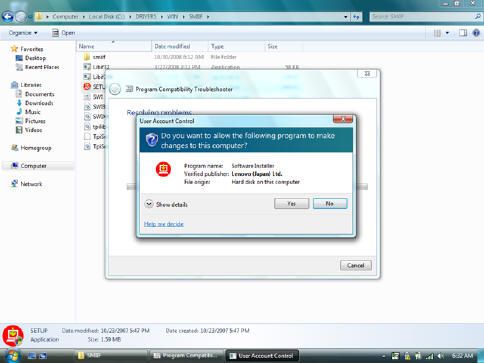
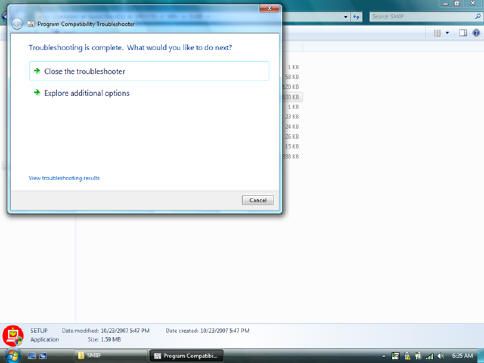
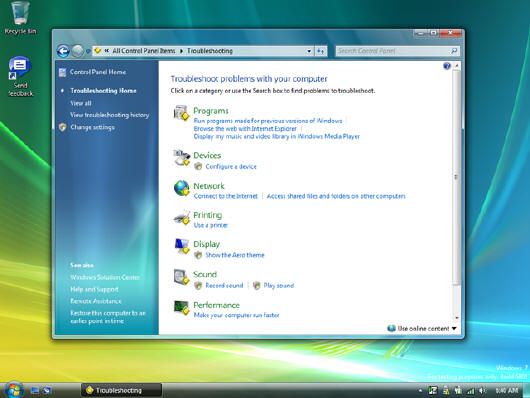
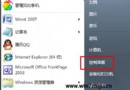
Windows 7 M3 內建「疑難排解相容性」右鍵選單,針對安裝程式檢測版本阻擋的問題,引導式選擇「舊版 Windows 能運行但現在無法安裝」→ 選擇目標作業系統 (如 Vista) → 自動套用相容性設定 → 程式順利安裝。實測 ThinkPad HotKey、EasyEject 等原廠工具多數修復成功,少數仍需進一步排查。工具並導向「疑難排解記錄」集中管理歷史診斷資訊。
內建相容性修復大幅降低舊軟體遷移門檻,配合 App-V 虛擬化方案構建完整相容性策略。
Windows 7「啟動和故障恢復」台與舊版差異:移除編輯按鈕、調整記憶體傾印預設
Win7「找不到該項目」刪除失敗完整解決方案
Windows 7 防火牆配置技巧:從 XP 到 Win7 的演進與多重原則實戰
Win7 關閉 Windows Update 自動安裝驅動程式:避免不穩定驅動蓋版導致藍畫面、裝置異常
Win 7 開機動畫消失變黑畫面綠條?解析原因與修復 locale 語言設定教學
Win7 權限控制從源頭封鎖 USB 自動安裝驅動:拒絕 SYSTEM 對 usbstor.inf 完全控制
Win7 突然沒聲音怎麼辦?從喇叭圖示消失到驅動重裝完整排查指南
Win7 Visual Studio 提示「系統找不到指定檔案」?替換 cvtres.exe 檔案修復