Windows XP Windows 7 Windows 2003 Windows Vista Windows 綜合教學 Linux 系統教學
Windows 10 Windows 8 Windows 2008 Windows NT Windows Server 電腦軟體教學

Win7 資源管理器新增遠端搜尋連接器 (Google/Bing/Yahoo/自訂)

編輯:Windows 7 系統介紹

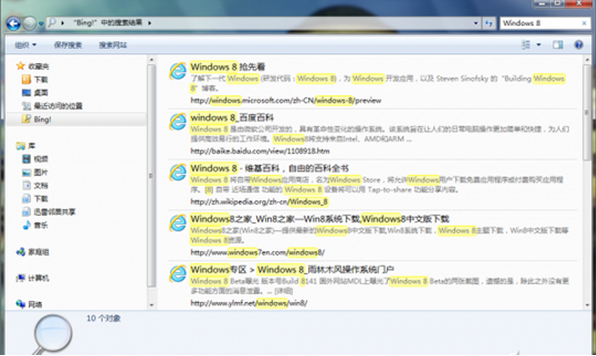
Windows 7 資源管理器支援 OpenSearch 協定,可安裝搜尋連接器直接在檔案總管右上角搜尋框查詢網路資源,無需切換瀏覽器。

安裝步驟

  1. 瀏覽器開啟 https://www.sevenforums.com/tutorials/742-windows-7-search-federation-providers.html (或搜尋「Windows 7 search connectors」)。
  2. 頁面提供 Bing、Yahoo、MSN Search、Google、YouTube、Wikipedia、Amazon 等現成 .osdx 連接器。
  3. 點選所需搜尋引擎圖示,IE 將下載 .osdx 檔案並彈出「新增搜尋連接器」對話方塊,點選「新增」。
  4. 資源管理器左側「收藏夾」區域即出現該搜尋連接器圖示。

下載osdx搜尋連接器

新增搜尋連接器對話方塊

使用方式

  1. 點選左側搜尋連接器 (如「Google Search」)。
  2. 右上角搜尋框輸入關鍵字,資源管理器即時顯示遠端搜尋結果 (標題、摘要、連結)。
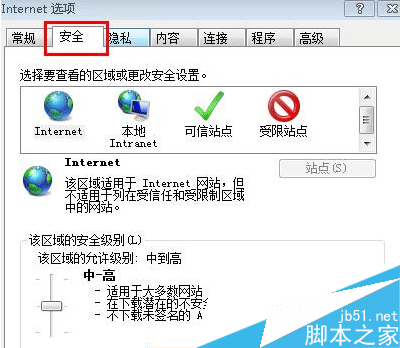
  3. 點選結果預設以 IE 開啟,可在「網際網路選項」→ 「程式」設定預設瀏覽器。

自訂搜尋連接器 (進階)

建立 .osdx XML 檔案 (OpenSearch Description Document),包含 Url 模板 (含 {searchTerms} 佔位符)、ShortName、Description、Image (Base64 圖示),雙擊安裝。可整合內部系統、特定 API、學術搜尋等專用來源。

注意

  • 需 IE 相容模式下載 .osdx,Edge/Chrome 可能直接顯示 XML 文字而不觸發安裝。
  • 搜尋結果顯示速度取決於網路延遲與目標站點回應。
  • Win8/10/11 已移除此功能,改用 Cortana/Windows Search 整合網路結果。
Copyright © Windows教程網 All Rights Reserved