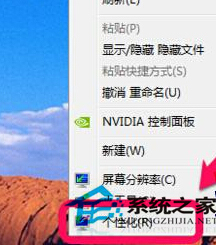
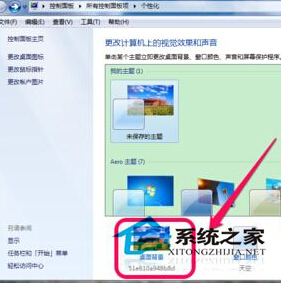
厭倦手動換壁紙?Win7 內建幻燈片功能可自動輪換多張圖片。
系統將依設定自動輪換壁紙,無需人工干預。
Windows 7 RC 真身現形:完整安裝、配置與新功能深度體驗(含中文語言包)
Windows 7/8/8.1 緊急重新開機技巧(Ctrl+Alt+Del + 電源鍵)
Win7 控制台印表機圖示不見?透過服務管理快速恢復
微軟推企業版 Win 7 正版化方案 含 GGS 與 GGWA 彈性降級權益
善用 Windows 7 音量合成器,輕鬆消除網頁垃圾聲音
Windows 7 防火牆完整設定指南:網路位置分類、預設還原、進階規則與監控
一鍵還原 Windows 7 預設微軟雅黑字體
Win7 未裝 Office 也能列印 Word 檔?「列印到檔案」生成 .prn 檔帶走離線列印